Suppliers Hub_
Review job suppliers, subrent quantities and Purchase Order status from the Opportunity.
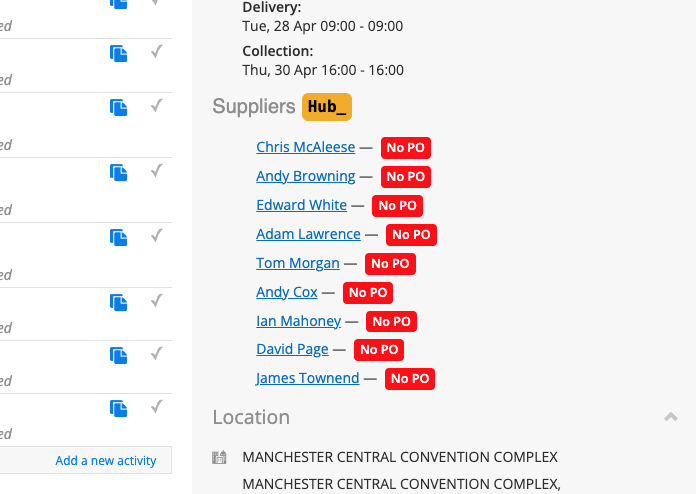
Suppliers Hub loads its supplier information when activated and displays the linked suppliers in the sidebar. It uses the job’s Costings information, so the current user needs access to Costs View.
What It Does
Shows suppliers and their PO status: red for no PO, orange for a PO not marked sent, and green for sent
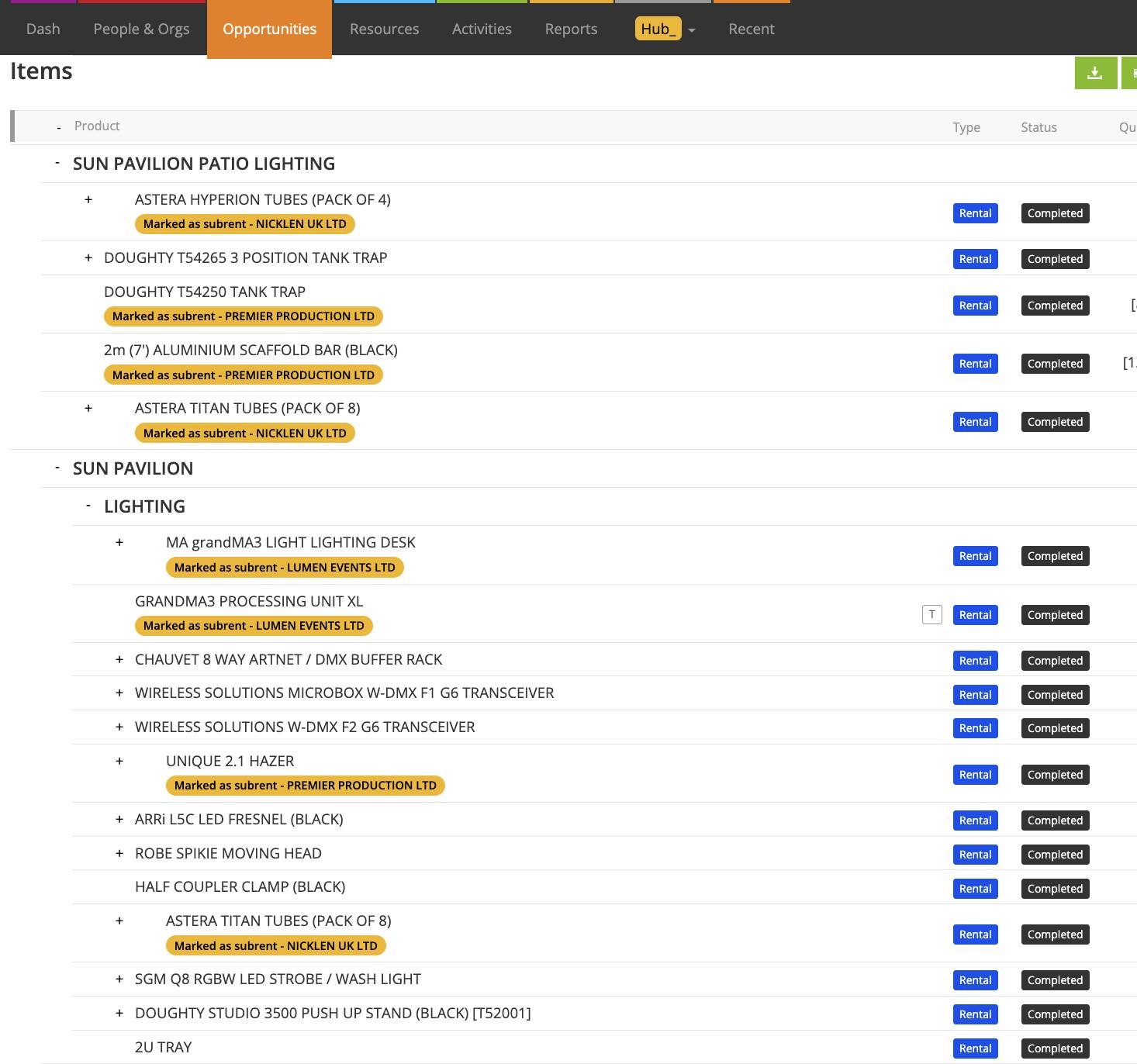
Marks supplier-assigned subrent items and accessories with the applicable supplier badges
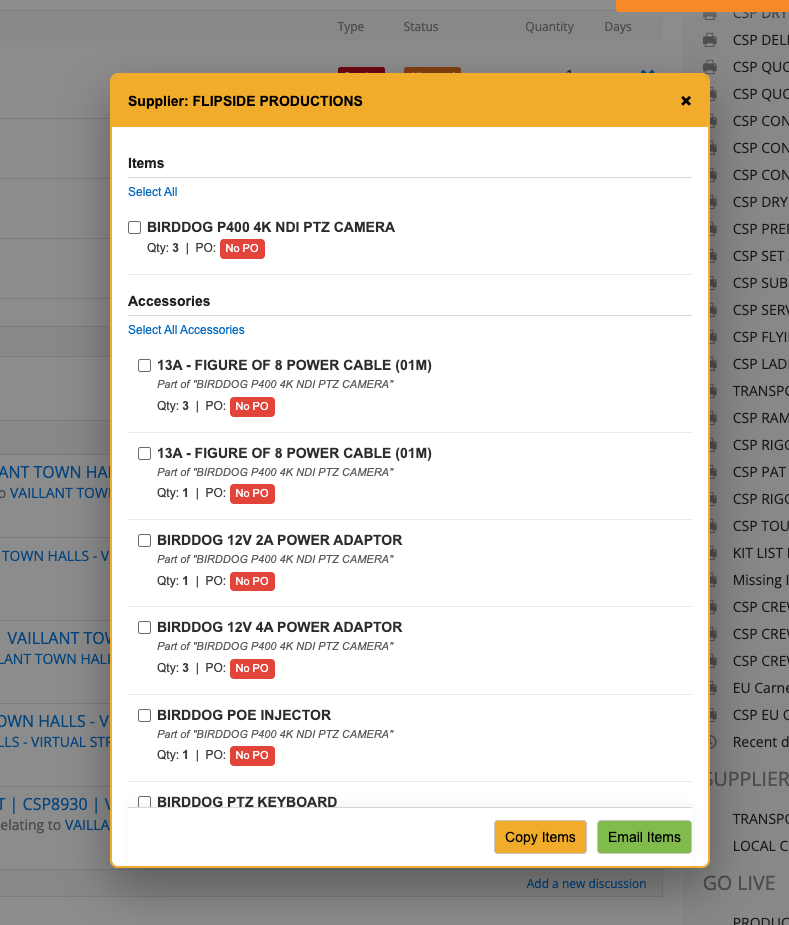
Opens a supplier’s item, accessory, quantity and PO breakdown with direct PO links
Show Groups retains the job’s grouping; with it off, matching supplier items are combined for a clearer list
Provides Copy Items, Export CSV, Email Items and a custom email introduction
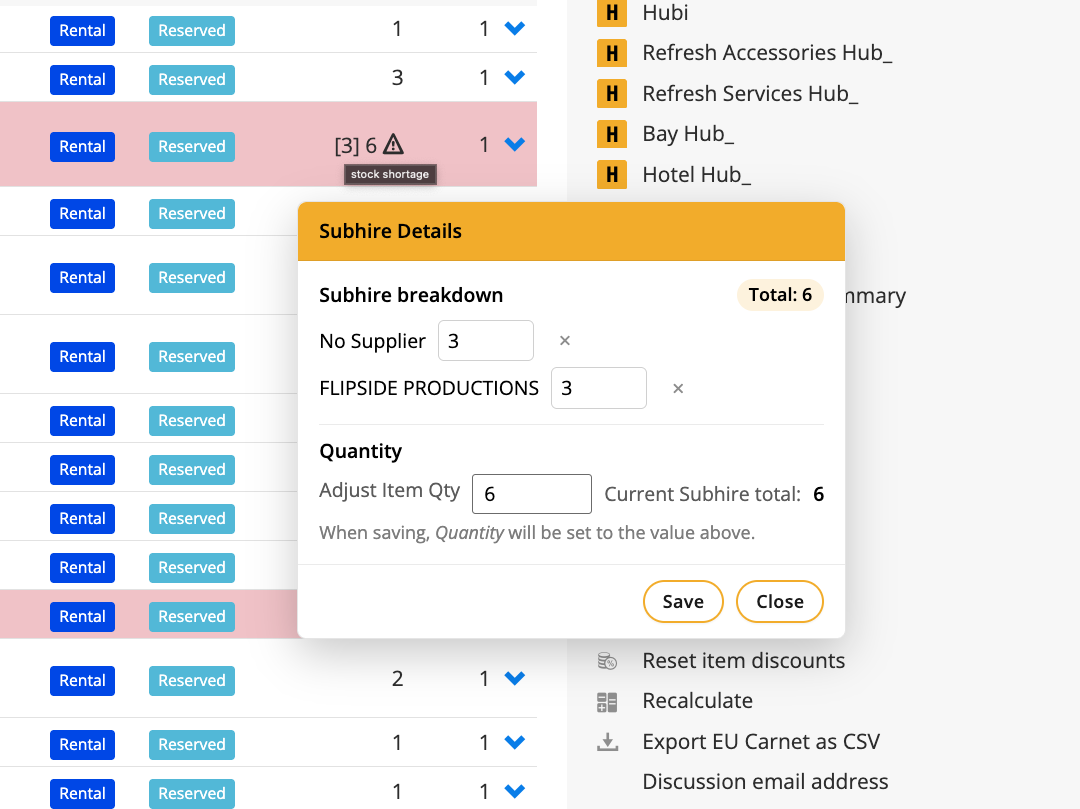
Opens quantity controls from the item’s supplier badge to review supplier splits and supported item or bulk quantities
No PO shortcuts take the user to Costings with the relevant supplier items selected
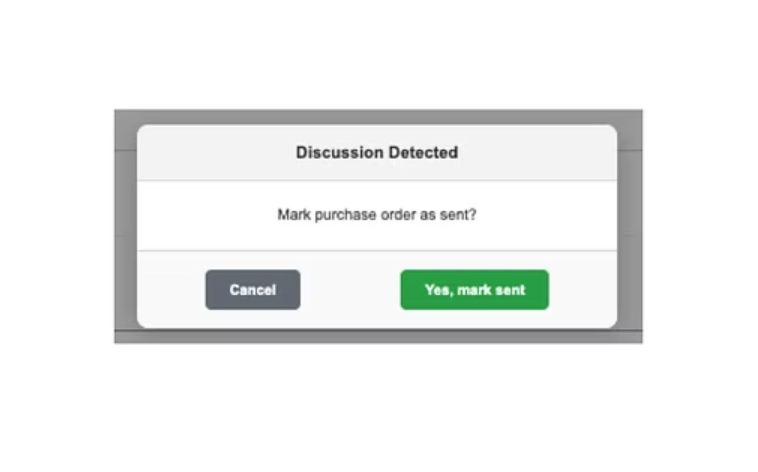
Tracks sent status from the applicable Discussions workflow or a manual PO-status action; optional manual PO references can be used
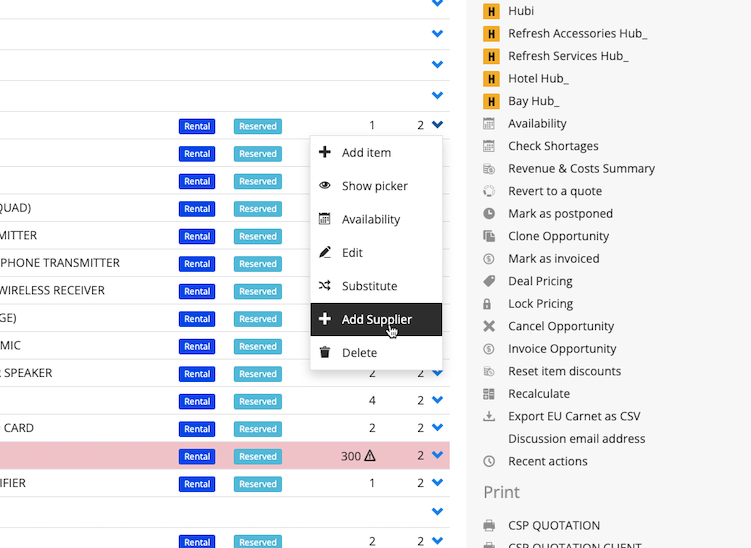
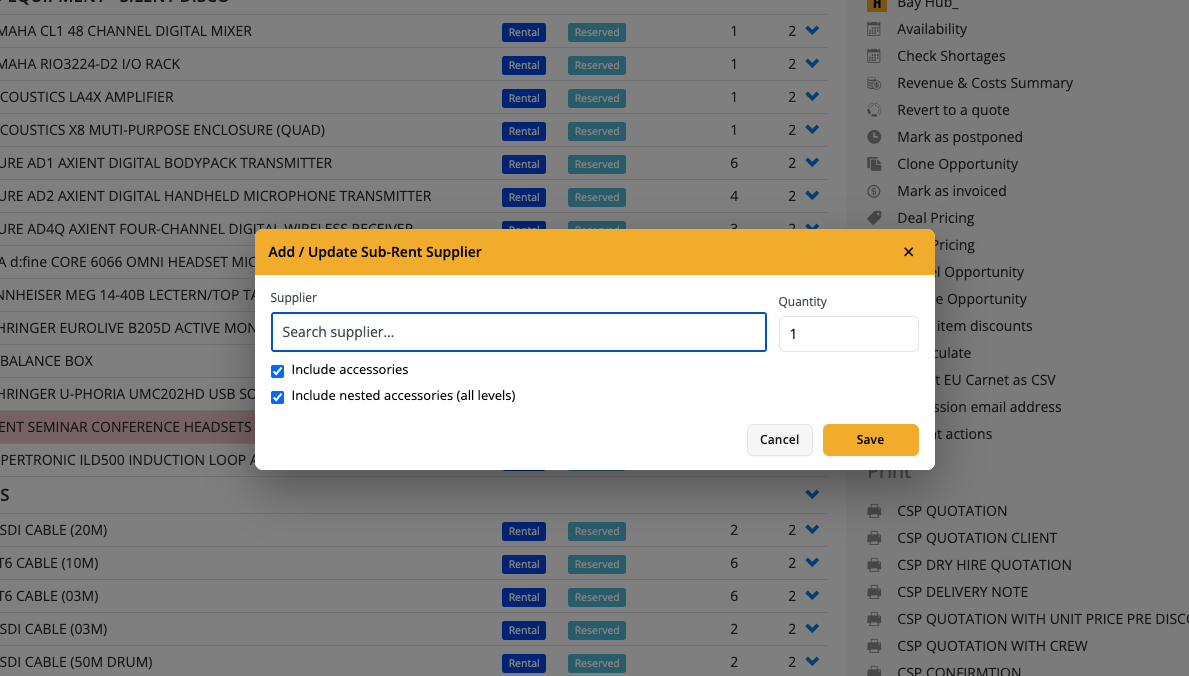
Add Supplier assigns a supplier to the selected item or supported selection and accessories, with applicable quantity, cost and chargeable-day controls
Can use an existing supplier cost and optionally update the Product’s supplier cost, requesting a rate definition when one is needed
How To Use It
Enable Suppliers Hub in Hub Settings and open the Opportunity. Select Suppliers Hub from the Hub actions to load it, then wait for loading to finish.
Choose a supplier in the sidebar and review its items, quantities and PO status. Use Show Groups when the original group structure is needed.
Select the rows to copy, export or email. Review the requested dates and prepared email before sending.
Use a No PO shortcut to prepare the relevant Costings selection, then create or link the appropriate PO through the available workflow.
Review the sent-status prompt after sending a PO through Discussions, or use the PO’s manual status action where required.
To assign subrent, use the item menu’s Add Supplier. Choose the supplier, quantity and any applicable cost or chargeable days, then review whether Update supplier costs should also change the Product’s saved cost.
Open the supplier quantity badge to adjust the allocation split, save the change and check the refreshed quantities.
Review the linked PO and job cost information after supplier or price changes, including any cost-sync prompt presented by Hub.
💡 Why it’s useful:
Suppliers Hub keeps subrent commitments, quantities and paperwork visible together. Grouped or combined lists and direct Costings links reduce repeated navigation while making outstanding PO work easier to spot.
🎥 For a walkthrough, watch this video: