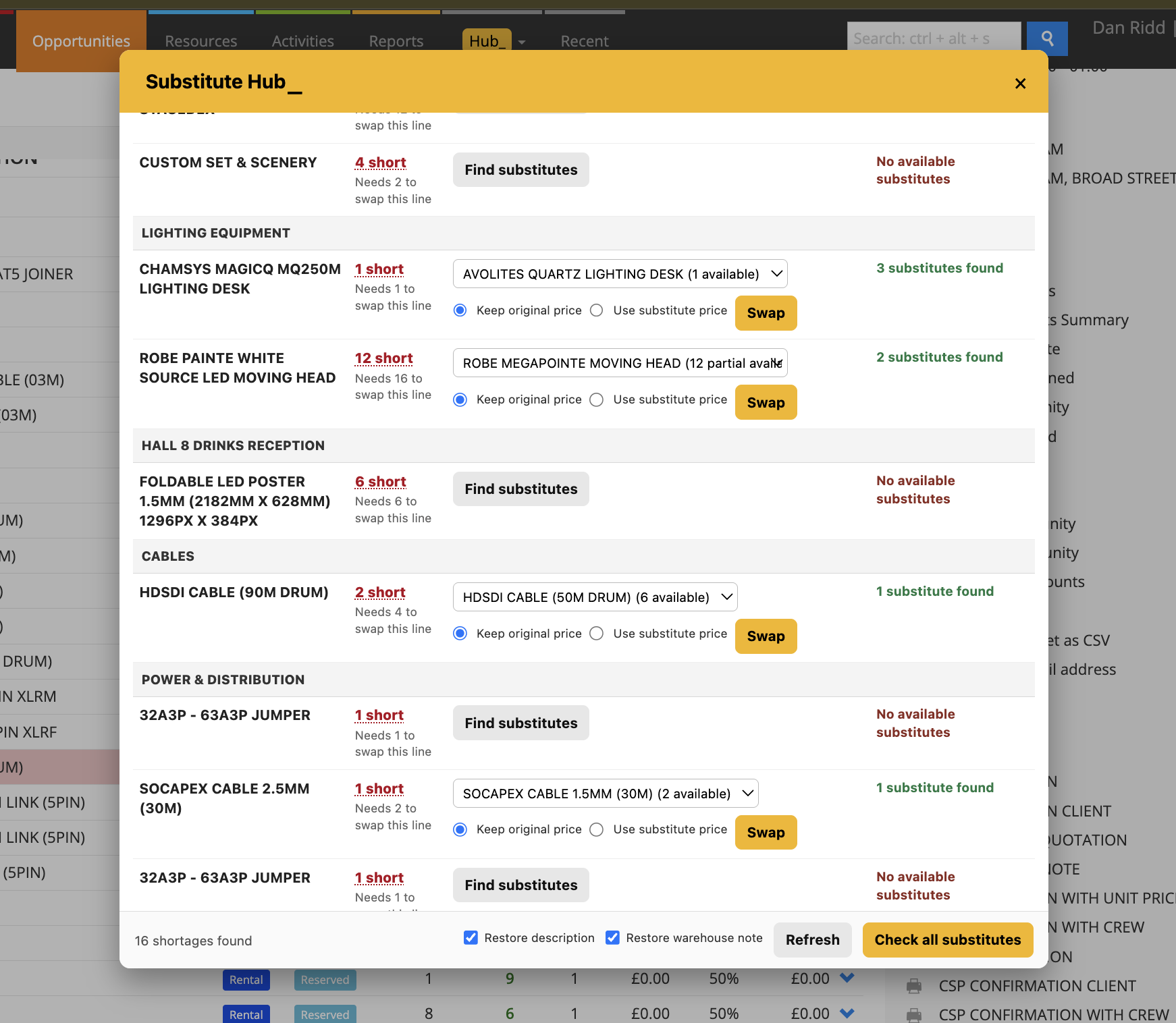
Substitute Hub_
Helps users quickly resolve shortages by finding available substitute products for items that are short on an Opportunity.
It automatically identifies shortage lines, groups them by section, checks substitute availability across the job dates, and allows items to be swapped without losing important information.
How it works
• Automatically finds shortage lines on an Opportunity.
• Groups shortages by section for easier review.
• Checks available substitute products for each shortage item.
• Verifies availability across the Opportunity dates.
• Clearly shows full and partial availability.
• Allows users to swap a shortage item with a substitute product.
• Lets users choose whether to keep the original item price or use the substitute item’s price.
• Preserves item descriptions during the swap.
• Preserves Warehouse Notes during the swap.
To use it
• Open an Opportunity with shortages.
• Launch Substitute Hub.
• Review shortages grouped by section.
• Select a shortage item.
• Review the available substitute options.
• Choose the preferred substitute product.
• Select whether to keep the original price or use the substitute item’s price.
• Confirm the swap.
• Hub will update the Opportunity item while maintaining descriptions and Warehouse Notes.
💡 Why it’s useful:
Substitute Hub makes it much faster to resolve shortages without manually searching through stock. By showing available alternatives and allowing direct item swaps, it helps keep jobs moving while preserving pricing, descriptions, and Warehouse Notes, reducing administration and saving valuable planning time.