Approval Hub_
Review quotations and Purchase Orders with the appropriate approvers before documents are sent or orders are authorised.
Approval Hub has separate Quote and PO modules. Requests, decisions and optional comments are recorded through Current discussions, with notifications linking users back to the relevant record.
What It Does
Lets configured approvers approve or reject submitted requests and notify the requester of the decision
Blocks applicable QUOTATION documents from being sent, printed or downloaded until quote approval is complete
Locks approved quote pricing; relevant pricing changes remove approval and require a fresh submission
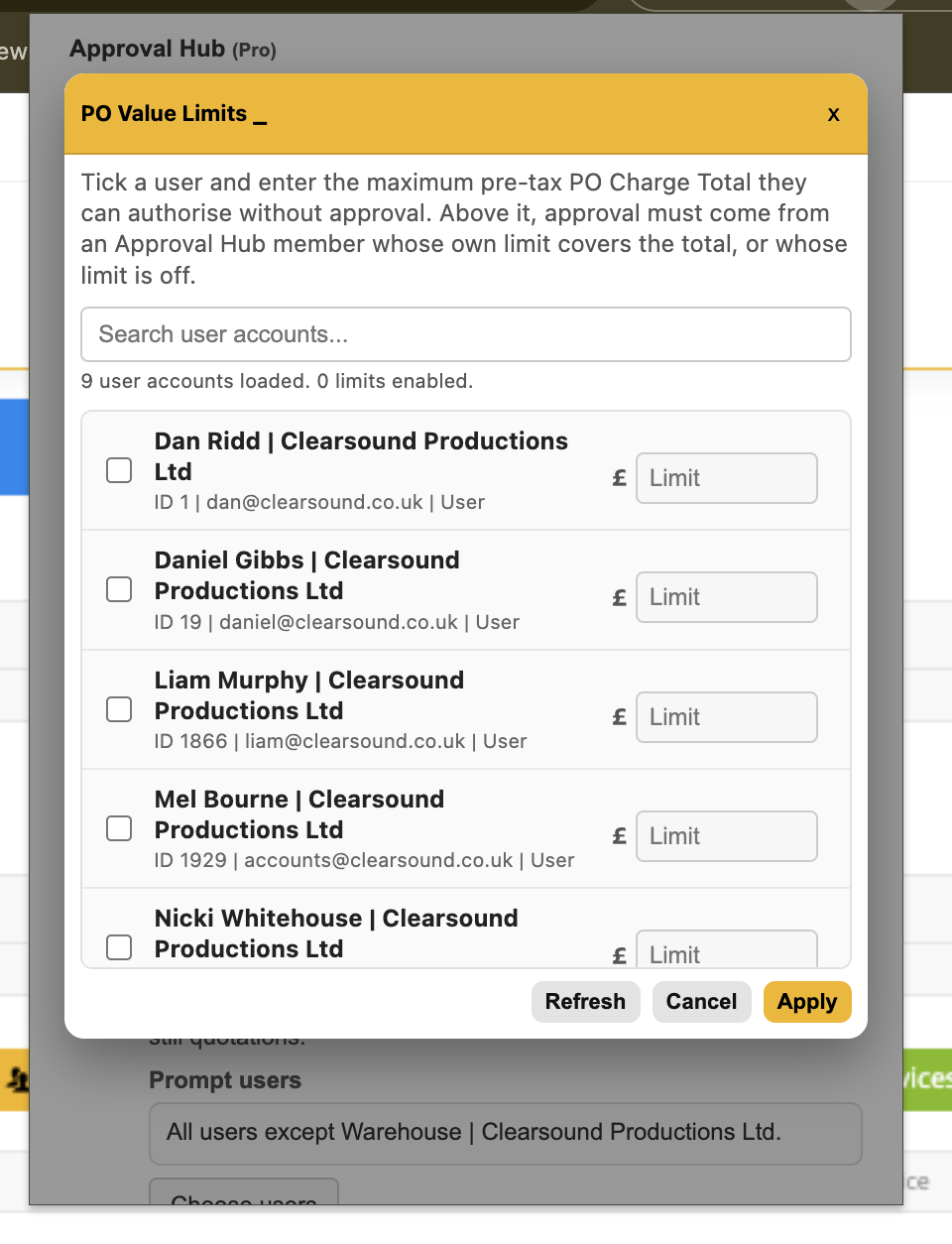
Supports optional pre-tax PO value limits per user; a PO within its owner’s configured limit can continue without additional approval
Allows users to prepare and edit POs above their limit, while requiring an eligible approver whose limit covers the pre-tax Charge Total
Automatically removes authorisation from an existing PO when changes take it above an explicitly configured owner limit
Offers Require two PO approvals, which needs two distinct eligible approval members other than the PO owner
Without a personal value limit, users follow the normal approval workflow; an owner configured as an approver may bypass the normal process where the applicable approval rules allow it
Keeps rejected requests available for review and resubmission
How To Use It
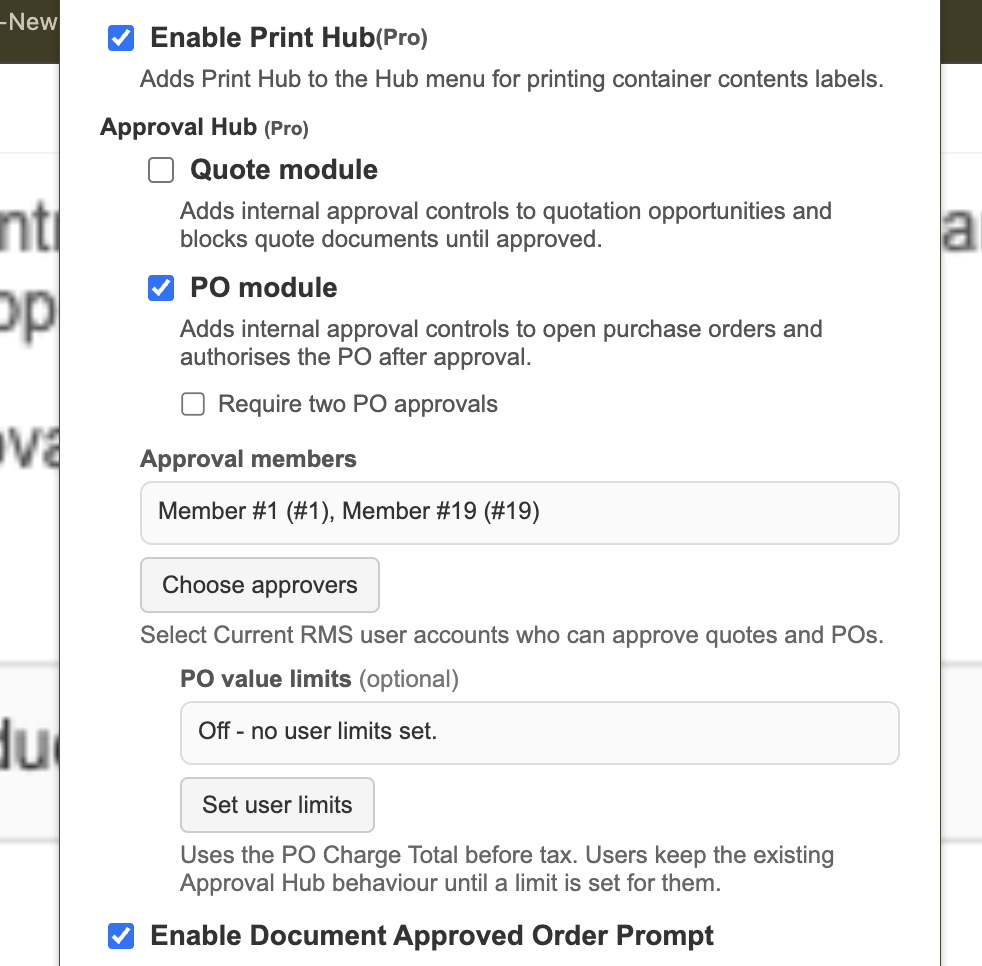
In Hub Settings, enable the Quote module, PO module, or both, and choose the approval members.
If required, select Set user limits and set each user’s maximum pre-tax PO value. Enable Require two PO approvals when two independent decisions are needed.
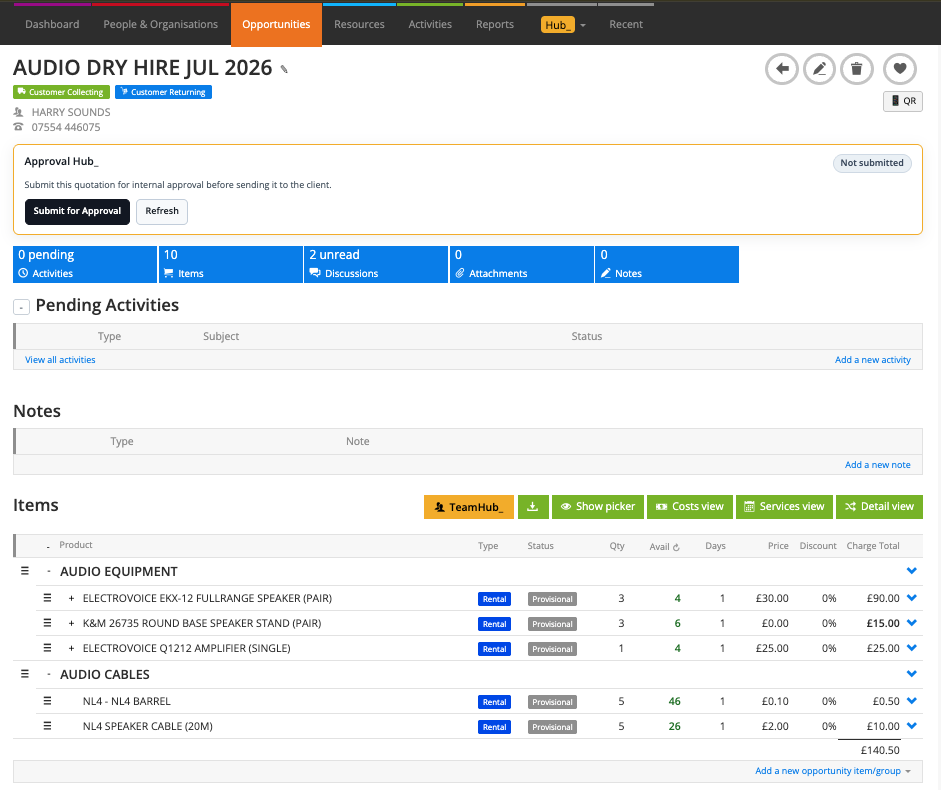
Open the Quote or Purchase Order and select Submit for Approval when approval is required. Add an optional message and select an eligible approver.
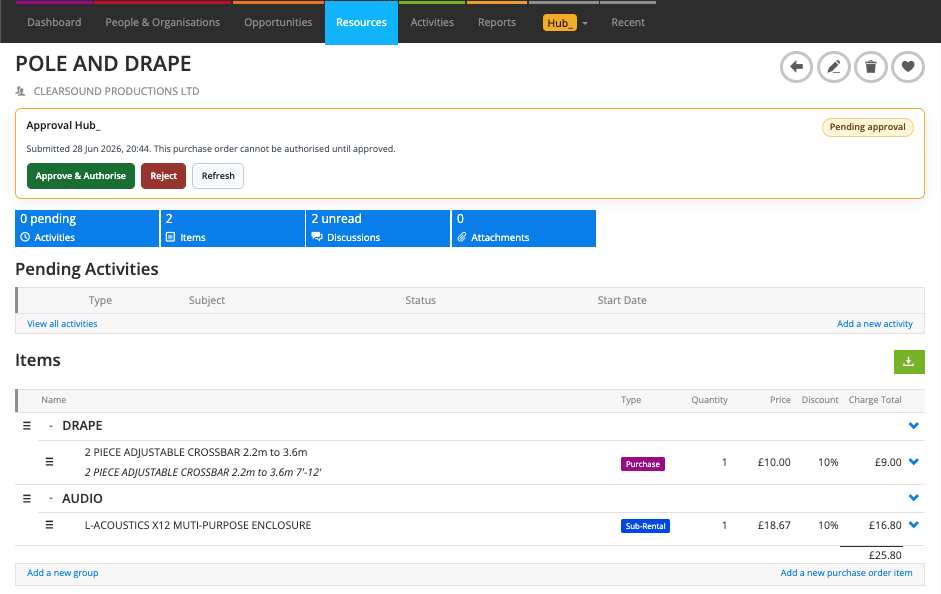
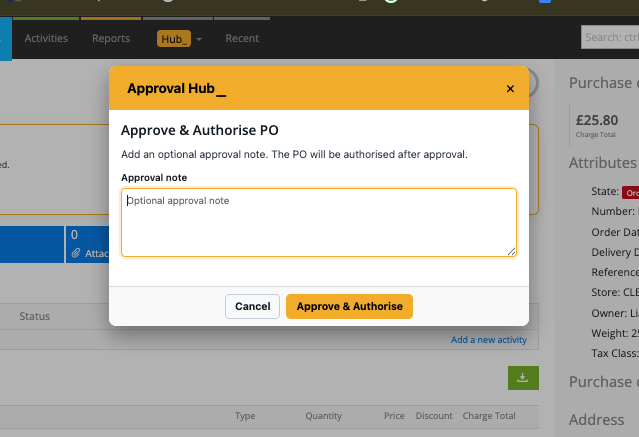
The approver follows the discussion link, reviews the record and selects Approve or Reject, with an optional explanation.
For double PO approval, a second distinct eligible approver must approve before the PO is authorised. The same person cannot supply both approvals.
After quote approval, continue with the approved quotation documents. After PO approval, continue with the authorised Purchase Order.
If rejected or if a relevant pricing or value change requires a new decision, correct the record and submit it again.
💡 Why it’s useful:
Approval Hub gives the team a visible record of who reviewed a Quote or PO and why. Optional spending limits and double PO approval let routine work continue while routing higher-value orders to the appropriate people.