Stage Hub_
Stage Hub builds complete stage kit lists from configurable stage profiles.
Set up your deck sizes, stage heights, legs, steps, valance, trim, carpet, and per-deck accessories, then enter the required stage size on an opportunity. Stage Hub works out the deck mix, height-specific parts, step sets, perimeter items, and carpet, then adds everything to the job as one grouped kit with a clear stage description.
How it works
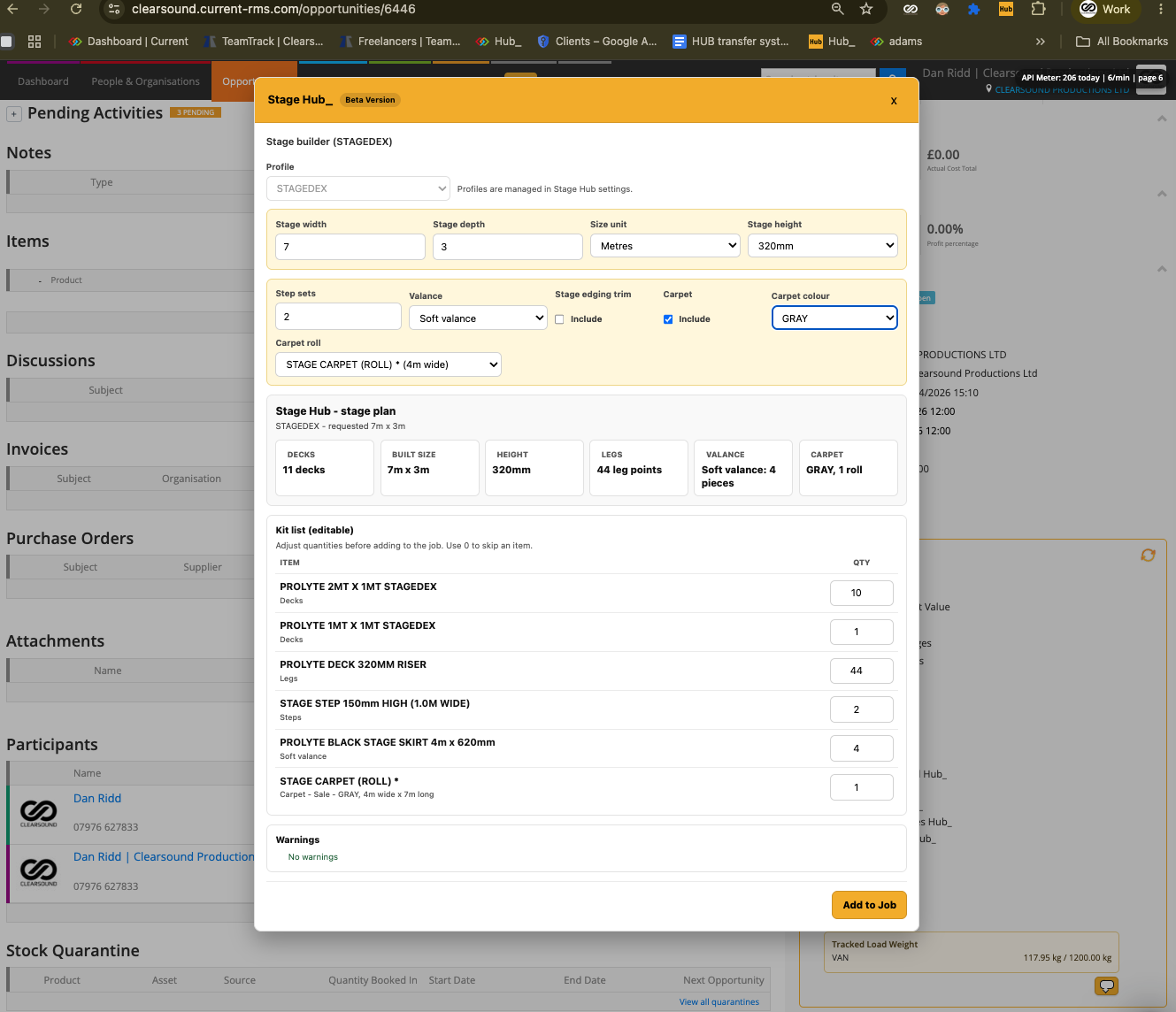
• Launches directly from an opportunity.
• Choose the stage profile you want to use.
• Enter the required stage width and depth.
• Select the stage height.
• Choose how many step sets are needed.
• Choose whether to include soft valance, hard valance, trim, and carpet.
• Calculates the best deck mix from the configured deck stock.
• Calculates the built stage size if the requested size needs to snap to available deck sizes.
• Adds height-specific leg items based on the selected stage height.
• Adds step items based on the number of step sets entered.
• Adds per-deck accessories, perimeter items, valance, trim, and carpet where selected.
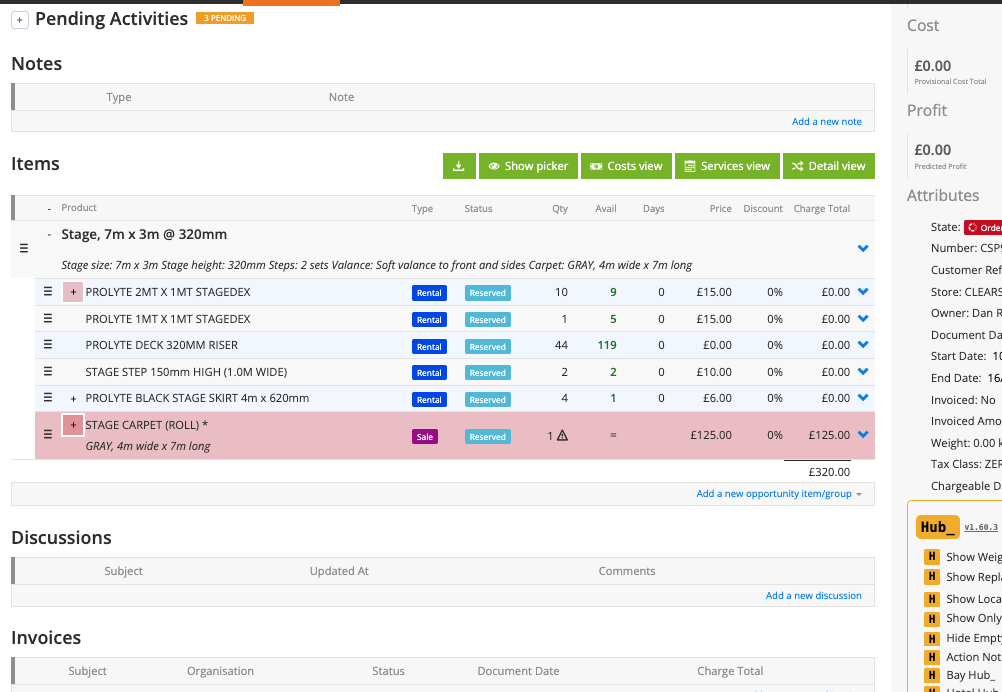
• Creates a grouped stage kit on the job with a clear stage description.
Setting it up
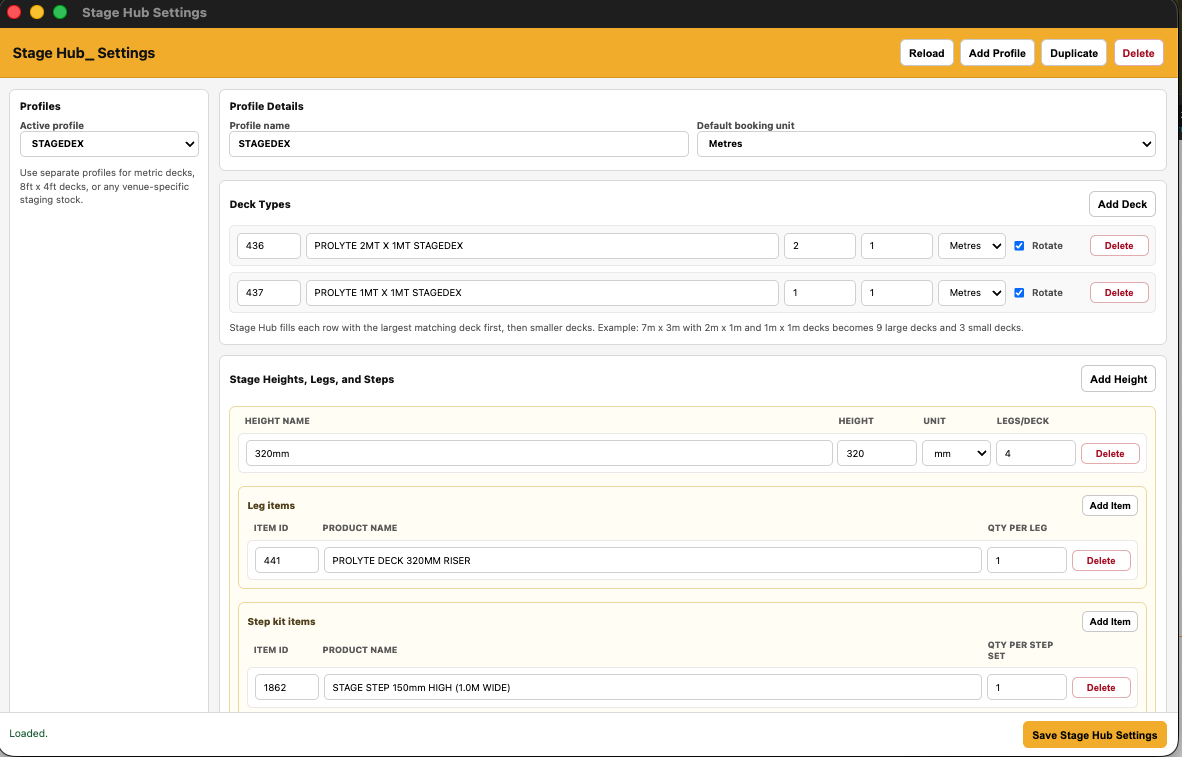
Before using Stage Hub, create a stage profile for each type of staging you want to quote.
Each stage profile needs:
• Profile name
• Size unit, metres or feet
• Deck sizes
• Stage heights
• Leg items for each height
• Step items for each height
• Per-deck accessories
• Soft valance items
• Hard valance items
• Stage edging trim
• Carpet rolls and carpet colours
Each deck needs:
• Deck name
• Deck width and depth
• Unit, metres or feet
• Whether the deck can be rotated
Each stage height needs:
• Height label
• Height value
• Legs per deck
• Leg item IDs and quantities
• Step item IDs and quantities per step set
Accessories can be calculated by:
• Per deck
• Fixed quantity
• Per square metre
• Per perimeter unit
Once the stage profiles are set up, open an opportunity and launch Stage Hub. Choose the profile, enter the stage size, select the height and options, review the kit list, then add it to the job.
To use it
• Open an opportunity.
• Launch Stage Hub.
• Select the stage profile.
• Enter the required width and depth.
• Choose the stage height.
• Enter the number of step sets.
• Select valance, trim, and carpet options if needed.
• Review the calculated deck mix and kit list.
• Adjust any quantities if needed.
• Confirm to add the grouped stage kit to the job.
💡 Why it’s useful:
Stage Hub removes the manual work from building stage quotes. It keeps stage kit lists consistent, calculates the correct deck mix and height-specific parts, reduces missed accessories, and gives the job a clear stage description showing size, height, deck count, and selected options.