LED Hub_
Build an LED wall quote from a screen profile, the required dimensions and the build type.
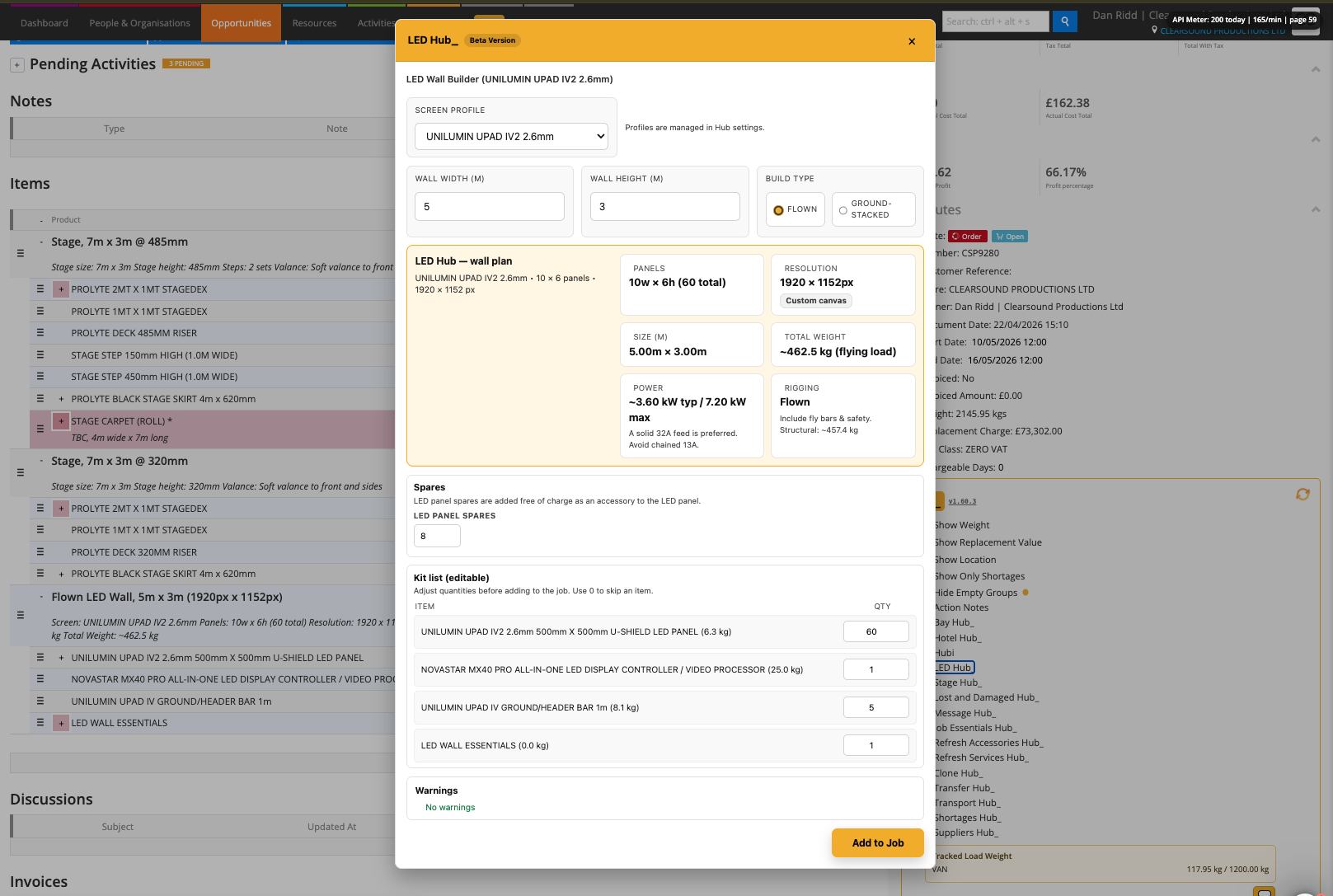
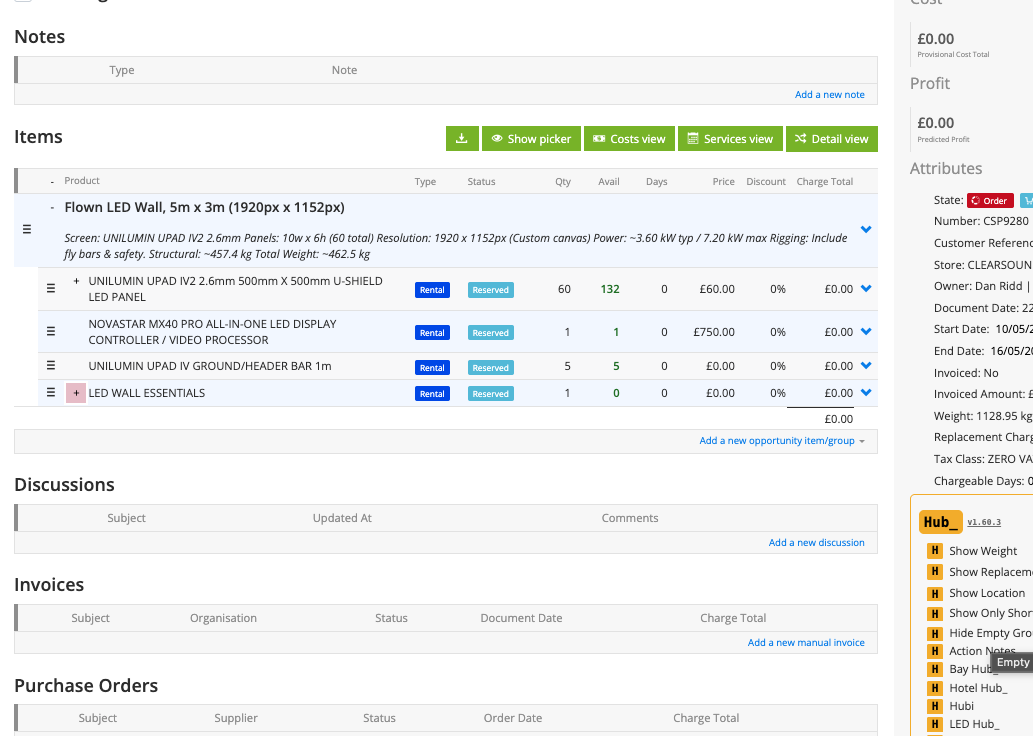
LED Hub calculates the panel grid, actual size, resolution, power estimates, approximate weight and supporting kit. Profiles connect the calculations to your own Current products and quantity rules.
What It Does
Accepts dimensions in metres or feet and shows the actual size after fitting the panel grid
Calculates panels wide, panels high, total panel count, pixel resolution and aspect ratio
Supports Flown and Ground builds with item rules specific to either or both
Calculates supporting kit from panel counts, dimensions, bars, rear extensions, ladders and ballast rules
Uses configured typical and maximum panel power and Current product weights where available; missing weights generate warnings
Supports configured panel mixes and per-item dimensions when building the kit
Adds the chosen number of spare panels free of charge as an accessory to the main panel line
Provides an editable kit list, approximate rigging and ballast information, and warnings before adding the group
How To Use It
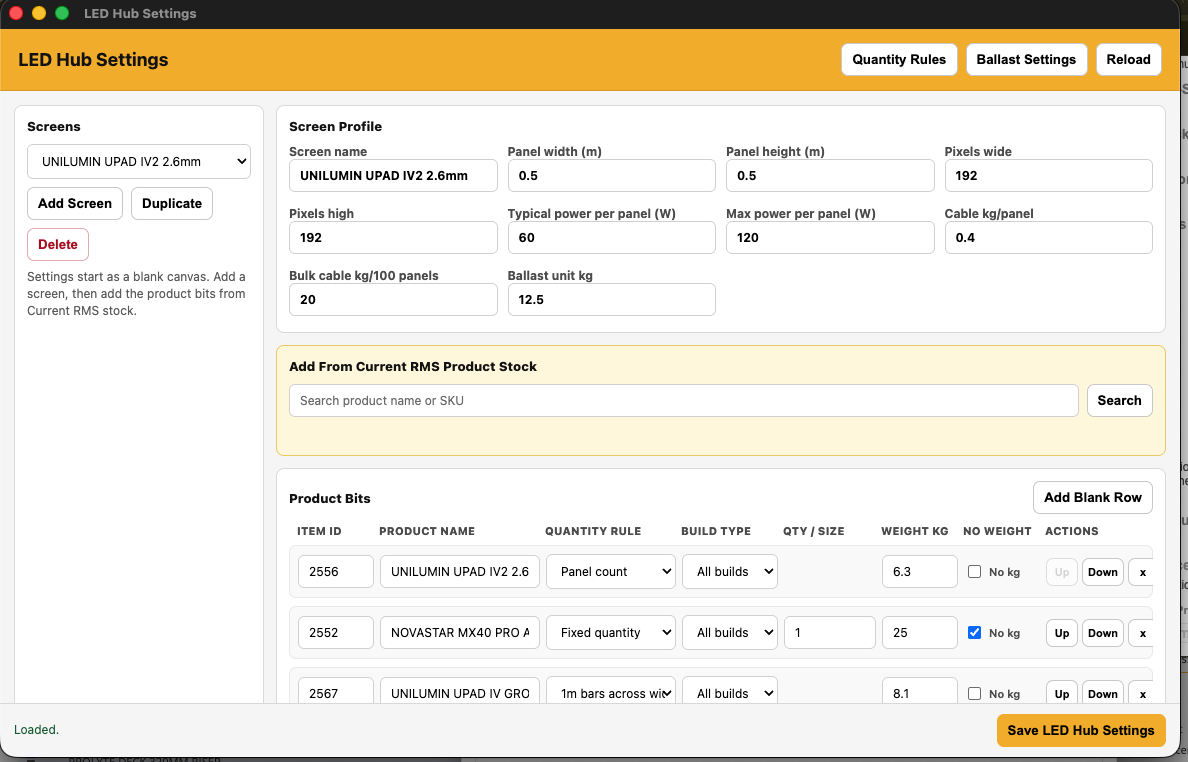
Enable LED Hub and open LED Hub Settings. Create a Screen Profile for each LED product system.
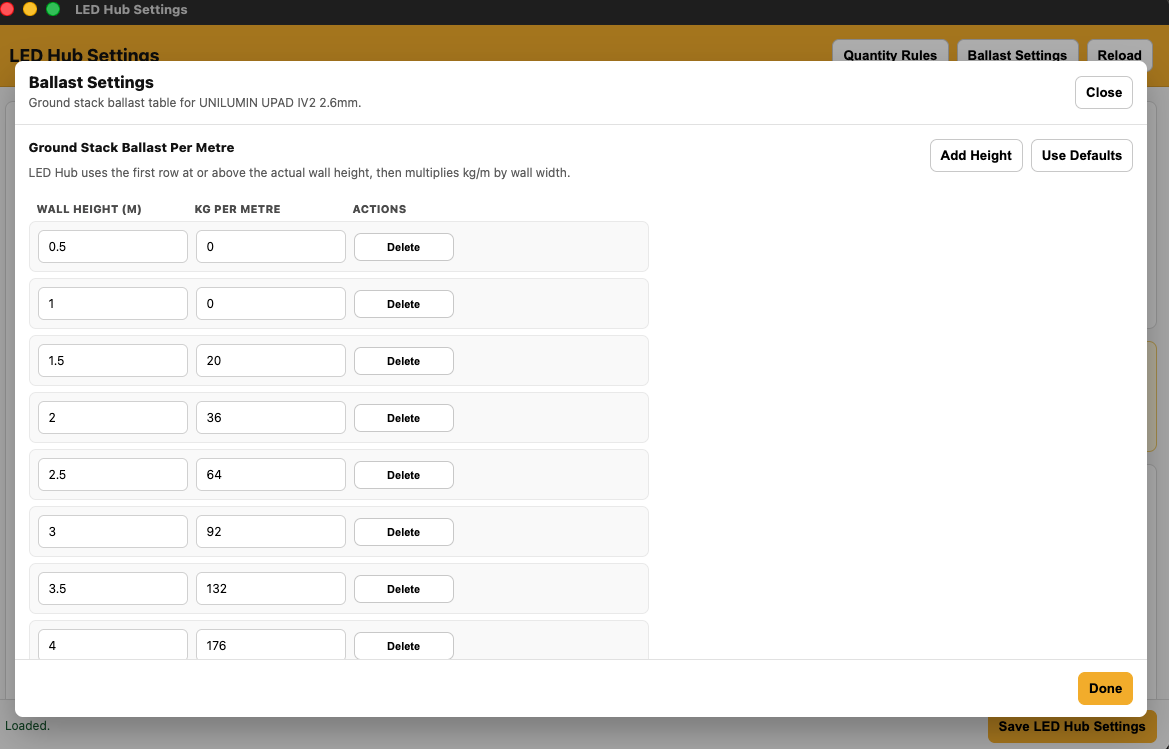
Configure panel dimensions, pixels, typical and maximum power, weight allowances, ballast rules and Current product IDs for the panels and support kit.
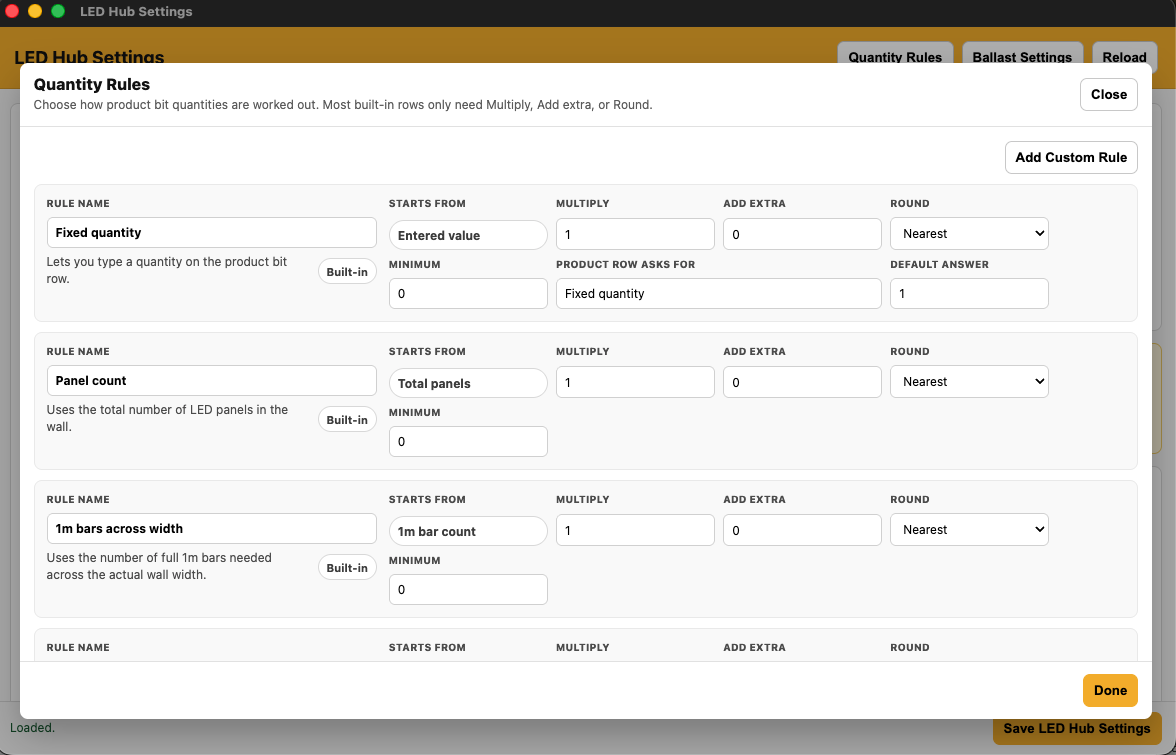
Set each item’s quantity rule and whether it applies to Flown, Ground or both, then save the settings.
Open an Opportunity and launch LED Hub. Select the Screen Profile, choose Units, enter the width and height, and select the Build Type.
Review the actual screen dimensions, resolution, power, approximate weight and calculated support kit.
Set LED panel spares and check the editable kit quantities. Use 0 to skip an item.
Resolve configuration warnings and review the rigging and ballast assumptions, then select Add to Job. Check the resulting group and spare-panel accessories.
💡 Why it’s useful:
LED Hub brings the panel calculations and supporting products together in one quoting step. Configurable profiles improve consistency, while visible dimensions, quantities and warnings make the proposed build easier to review.