Prep Hub_
Work through product prep and de-prep checklists directly from an Opportunity’s Detail View.
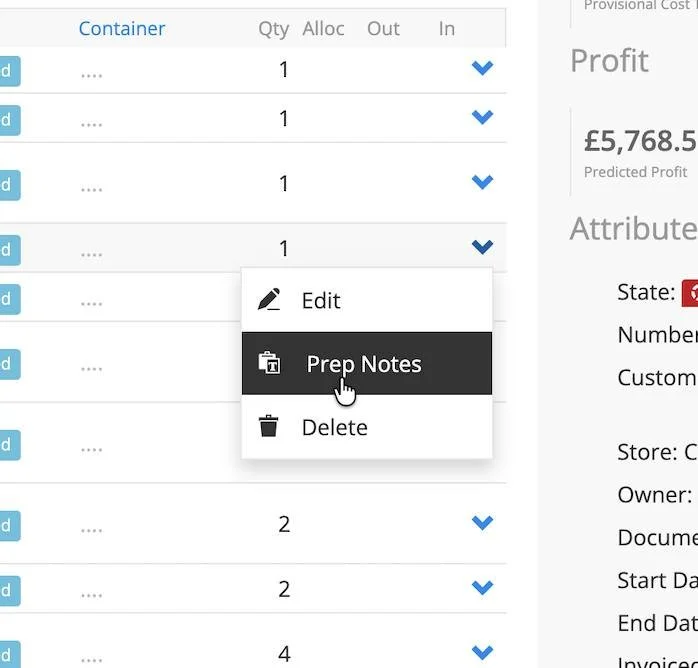
Prep Hub keeps reusable checklist templates on the Product and records dated completion information against the individual Opportunity item. Prep Notes and De-Prep Notes appear in the item dropdown where appropriate for its state.
What It Does
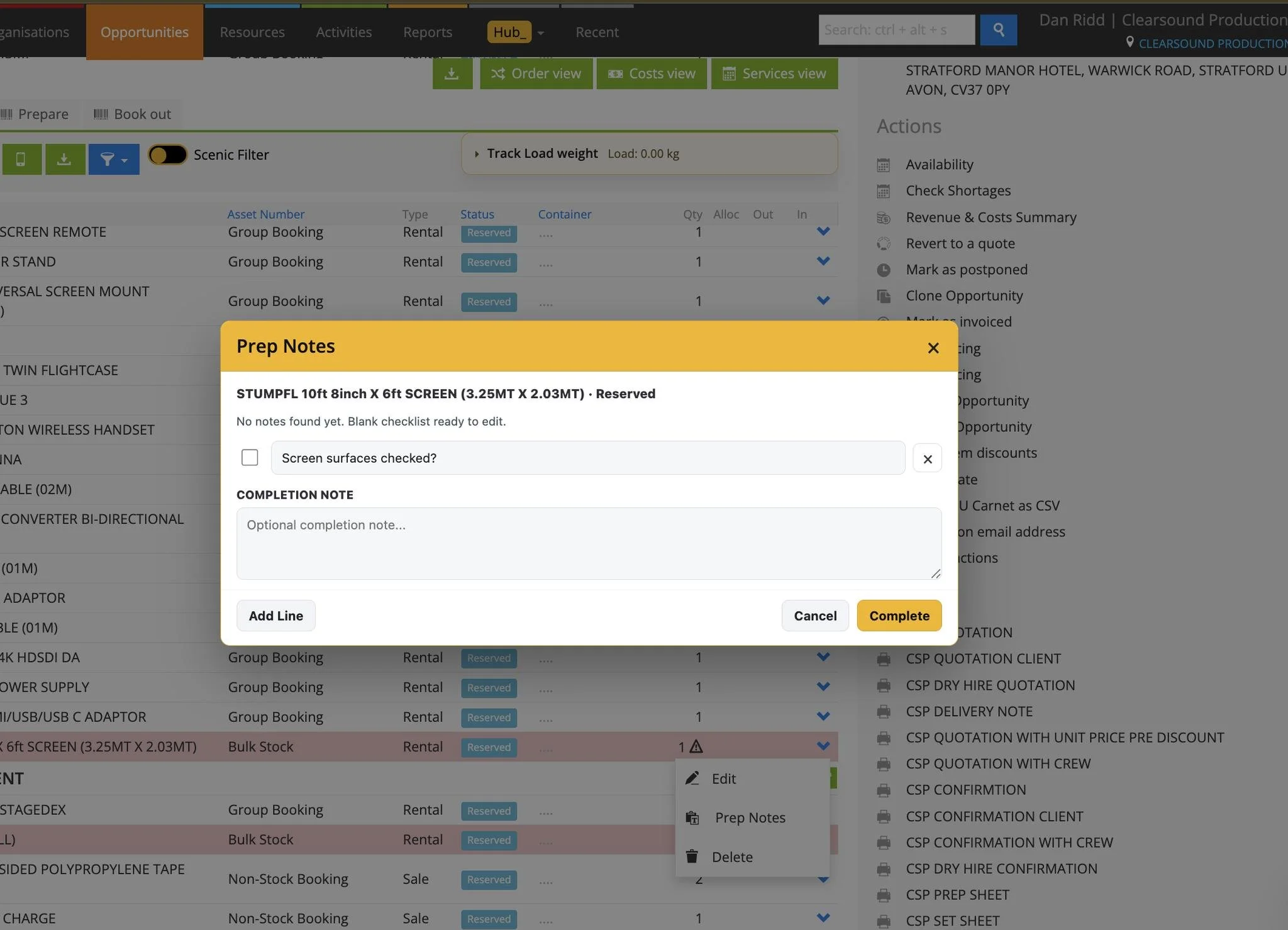
Opens the relevant prep or de-prep checklist from an Opportunity item’s dropdown
Loads reusable checklist lines from the Product’s custom fields, with support for existing item notes
Lets warehouse users tick checklist lines and add a Completion note
Complete saves a dated record of the checks, note and item status against the Opportunity item
Checks completion dates against the Opportunity schedule so an older completion is not silently treated as current
Edit Notes and Add Line allow template changes from the Opportunity popup; completing while editing also updates the Product template
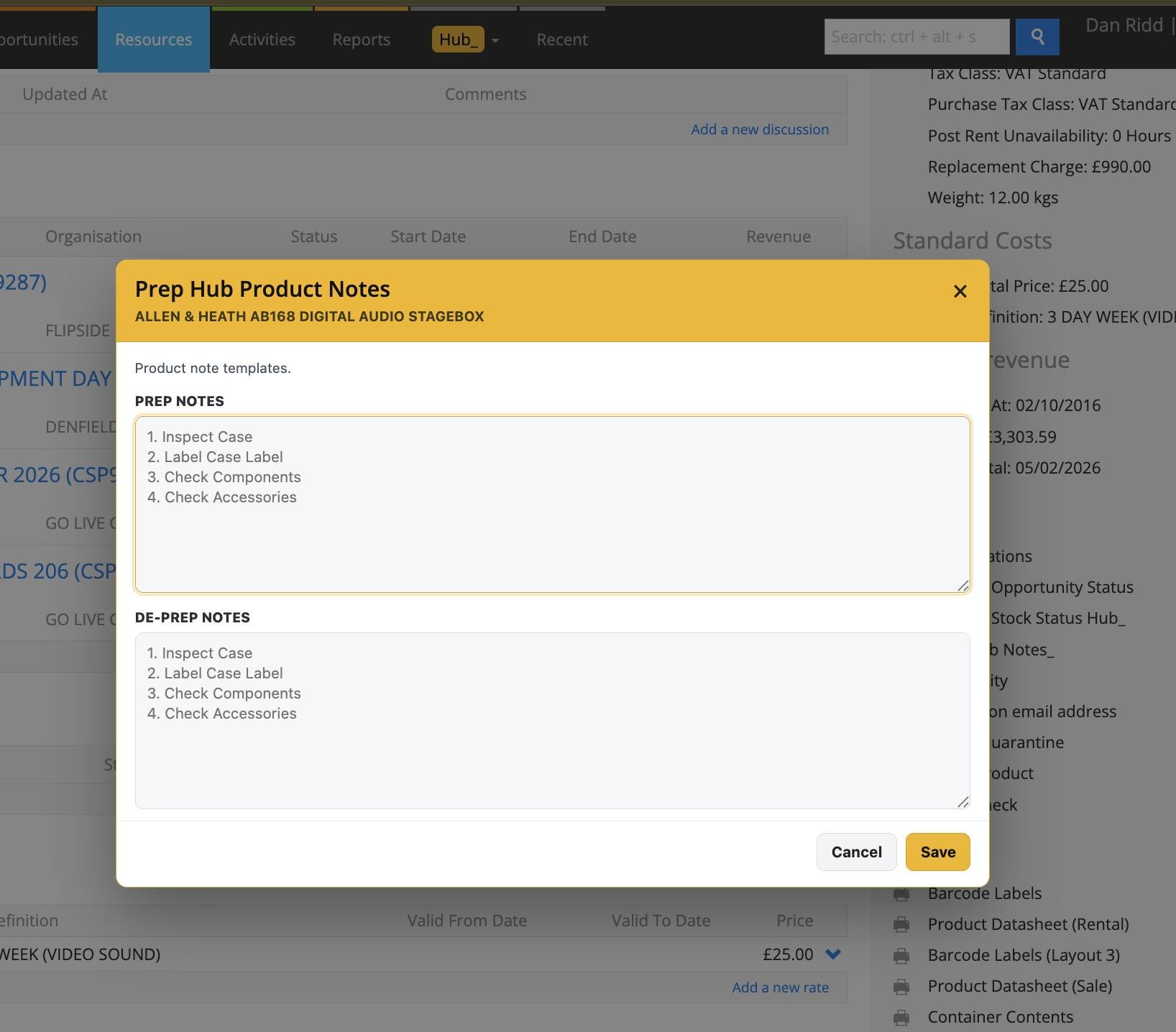
Prep Hub Notes on a Product provides a dedicated editor for its Prep Notes and De-Prep Notes
How To Use It
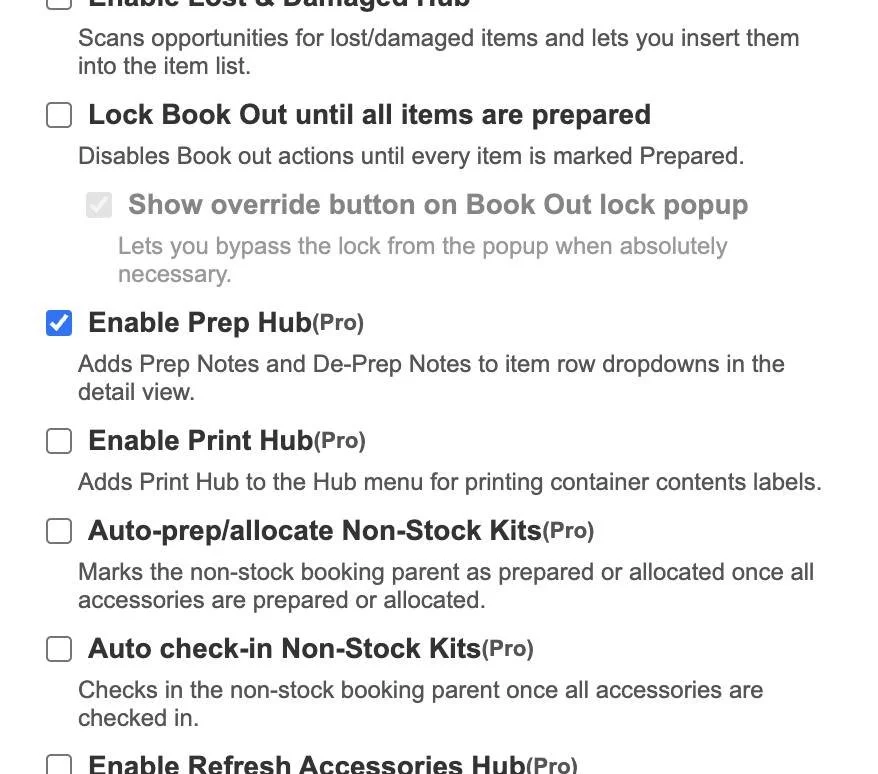
Enable Prep Hub in Hub Settings. The module requires Hub Pro.
Open a Product and choose Prep Hub Notes to create or edit its reusable prep and de-prep templates, then select Save.
Open the Opportunity in Detail View and choose Prep Notes or De-Prep Notes from the item dropdown.
Review any message about the saved completion date, then work through the checklist and tick the completed checks.
Add a Completion note if useful. Use Edit Notes or Add Line when the reusable checklist itself needs changing.
Select Complete to save the item’s dated completion record. Check that template edits are suitable for future jobs because they also update the Product.
💡 Why it’s useful:
Product templates make recurring prep steps easier to follow, while item-specific completion records show what was checked for the current job. Date checks help keep old completion information from being mistaken for a fresh check.