Repair Hub_
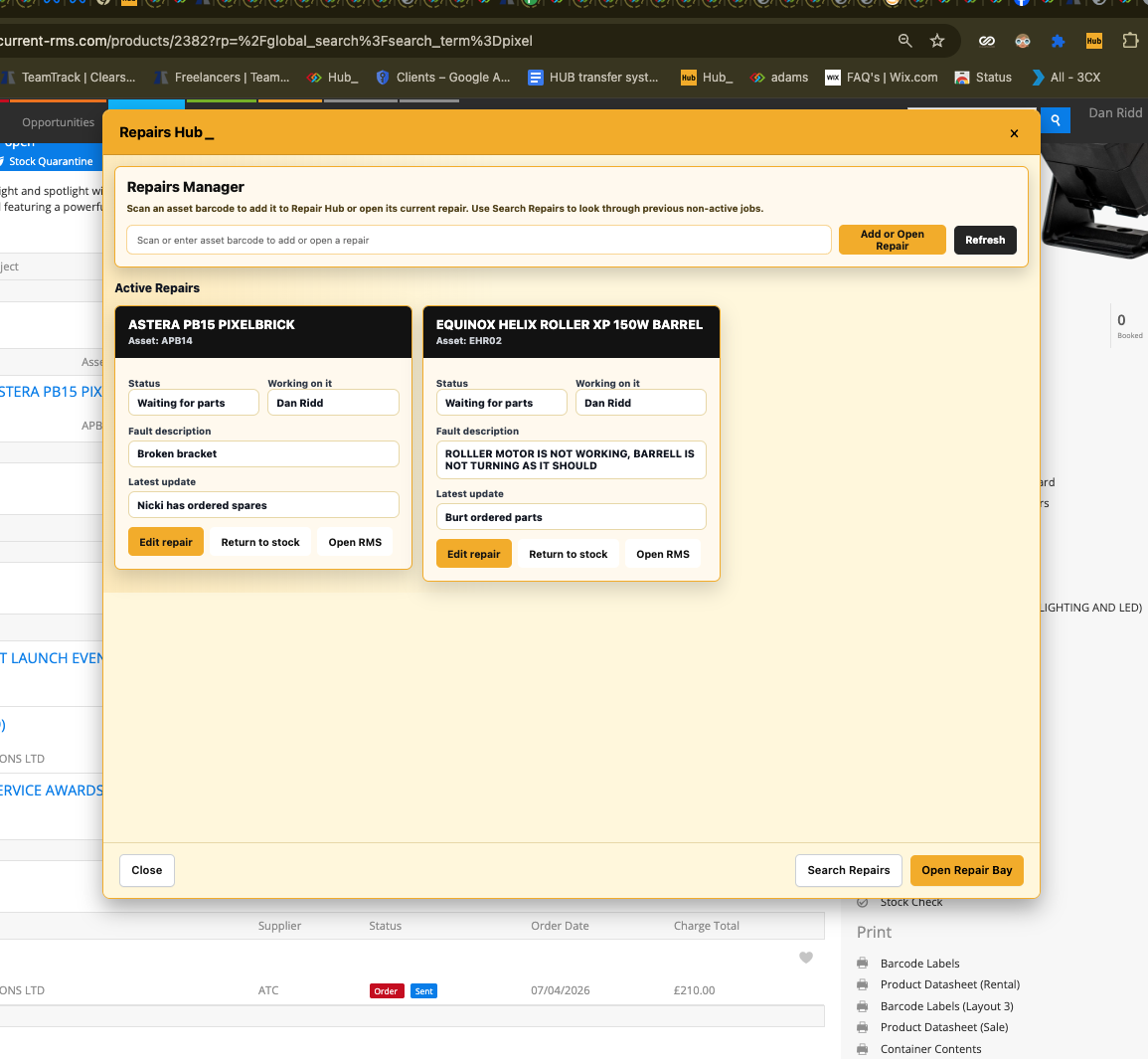
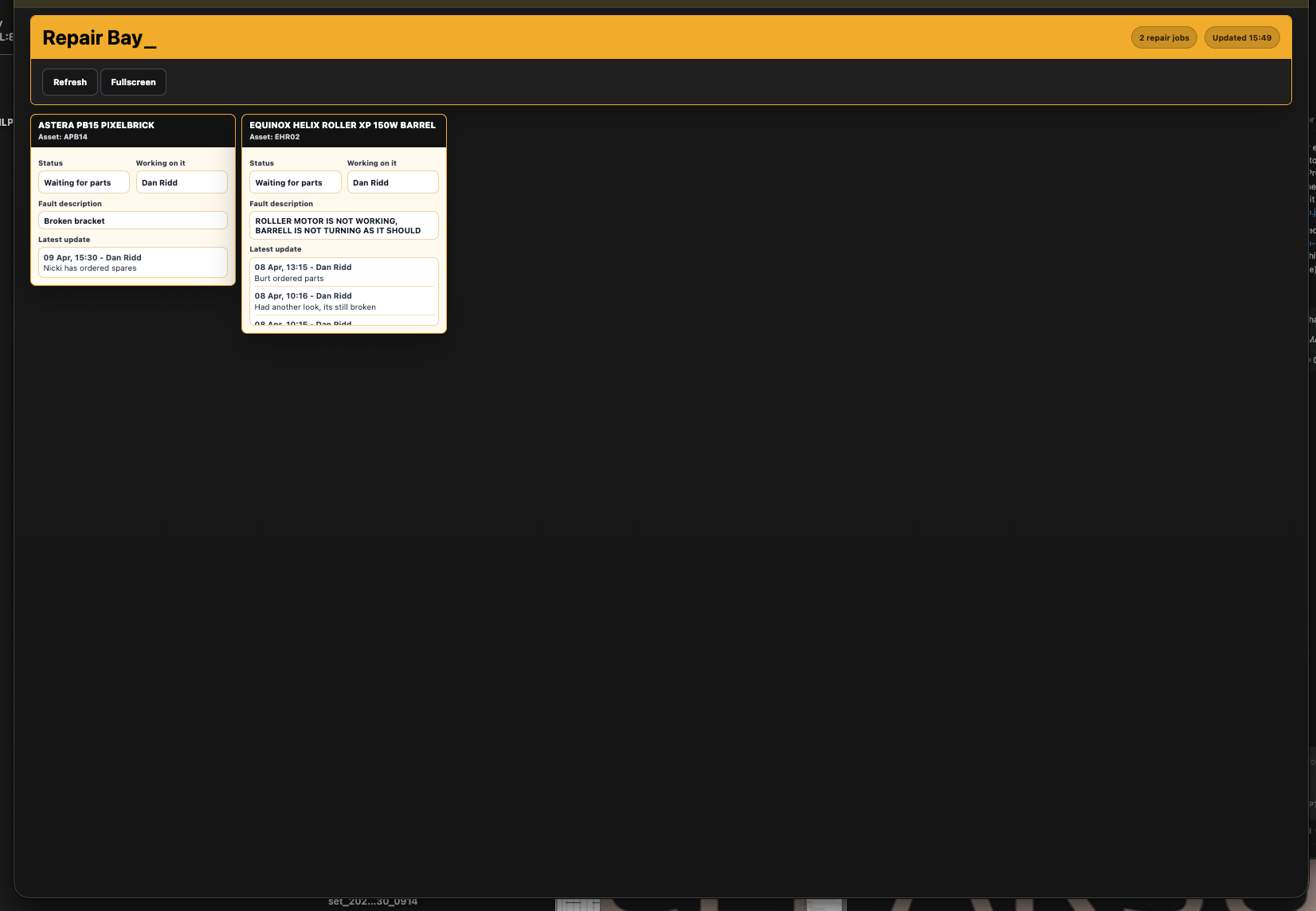
Repair Hub gives your team a clear, live view of what is being repaired, what stage it’s at, and who is working on it.
It’s designed for the workshop and warehouse, keeping everyone aligned without needing to check multiple systems or ask for updates.
How it works
• Scan an asset to instantly add or open a repair job.
• Tracks repair status from start to finish (e.g. Queued → Repairing → Testing).
• Shows fault description, assigned technician, and latest updates.
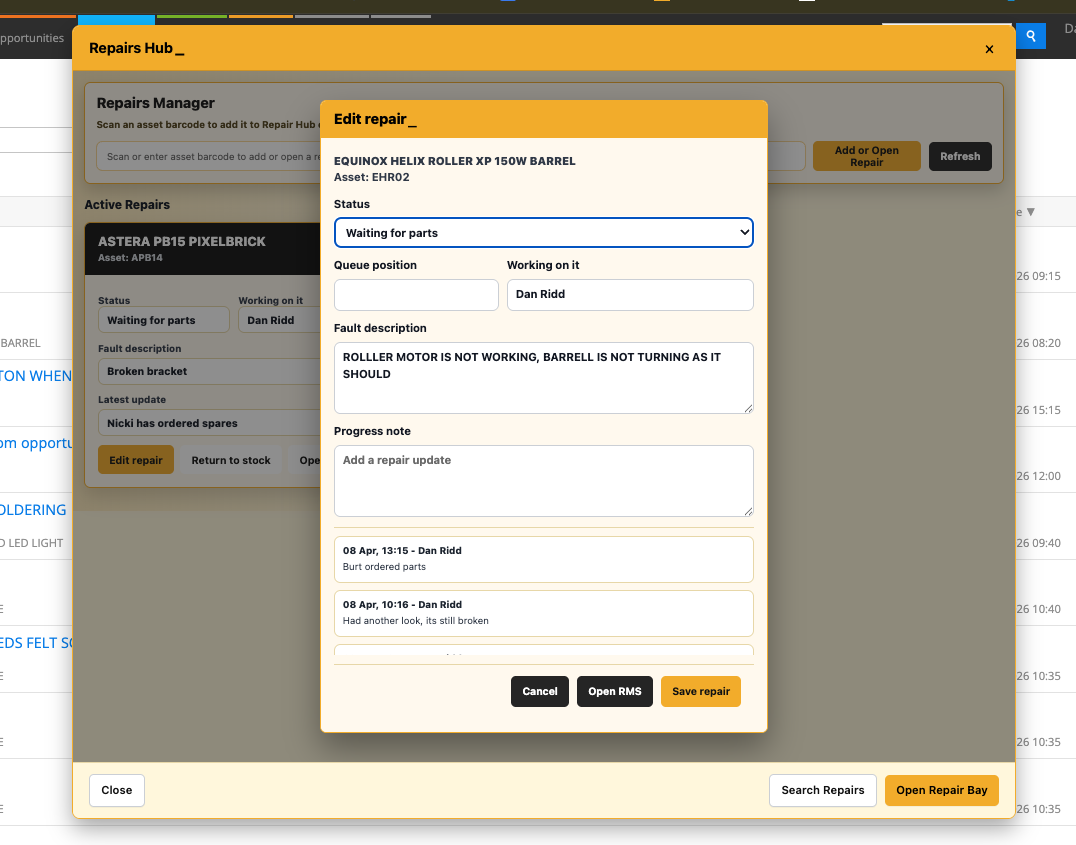
• Logs notes and progress in real time.
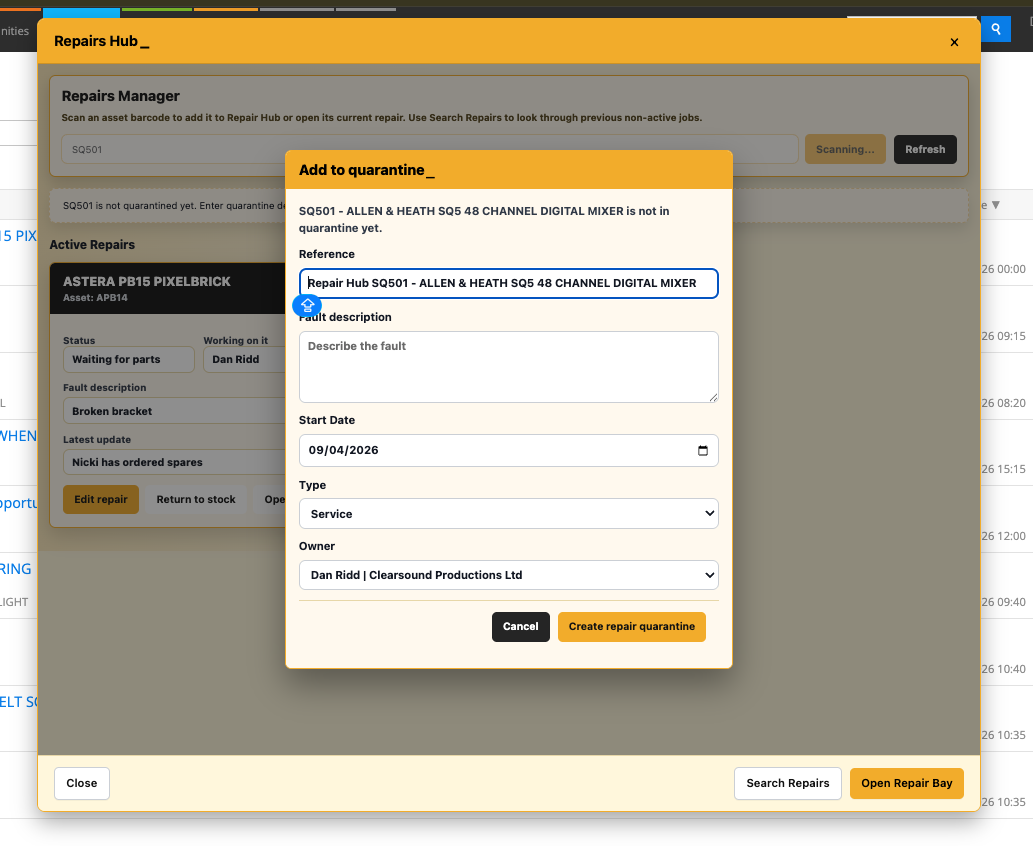
• Uses Current RMS quarantines to manage repair workflow.
• Updates automatically as repairs progress.
To use it
• Open Repair Hub (Manager) from the Hub side menu.
• Scan or enter an asset barcode.
• The system will:
Open an existing repair, or
Add the item to Repair Hub, or
Create a new repair job if needed
• Use the repair card to:
Update status
Assign a team member
Add notes
• Click Return to stock once the repair is complete.
• (Optional) Open Repair Bay from the Hub menu for a live board view.
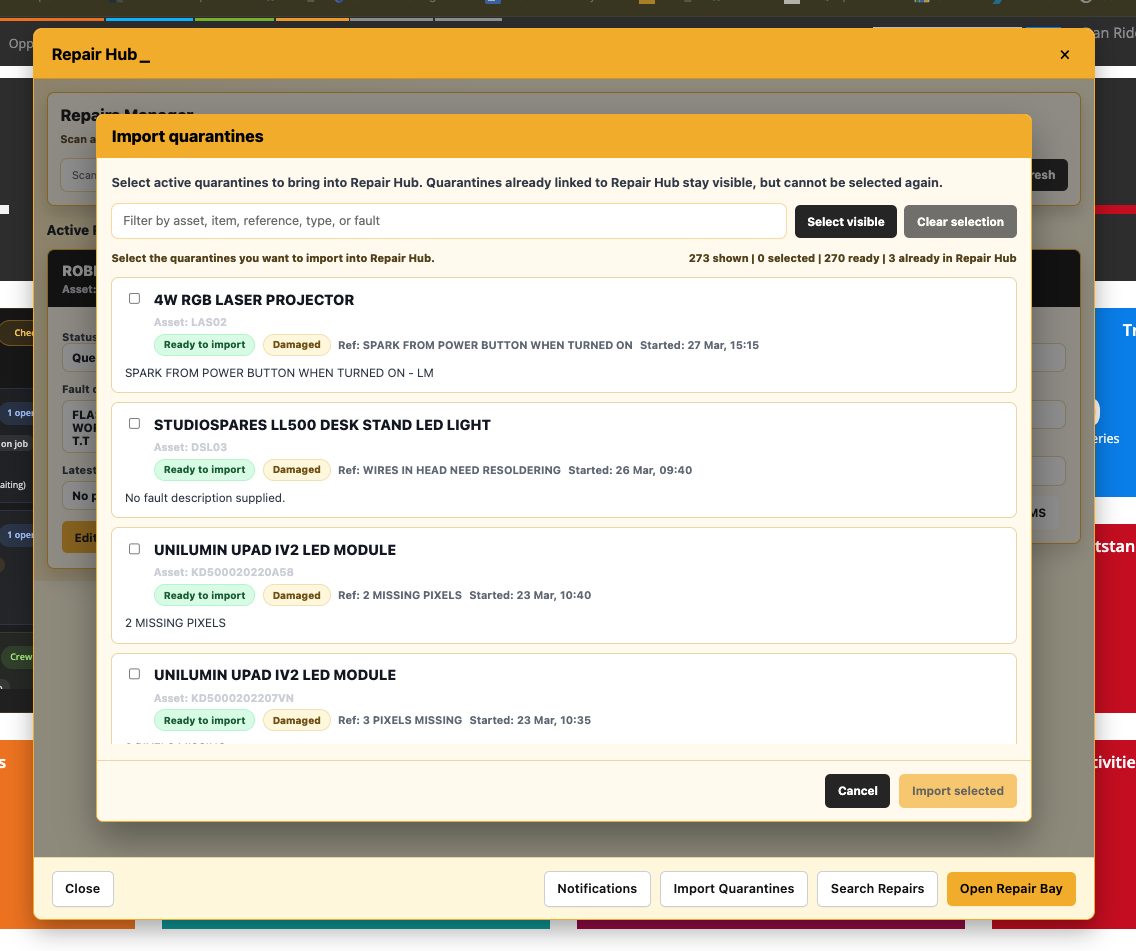
Import existing quarantines
• Use the Import Quarantines button in Repairs Manager.
• Select active Damaged or Service quarantines.
• Instantly bring them into Repair Hub.
• No need to manually scan or re-add items.
💡 Why it’s useful:
Everyone knows what’s being repaired, what stage it’s at, and who’s responsible — no guesswork, no chasing, just a smoother repair workflow.