Bay Hub_
See which jobs are being prepared, where they are being worked on and who is preparing them.
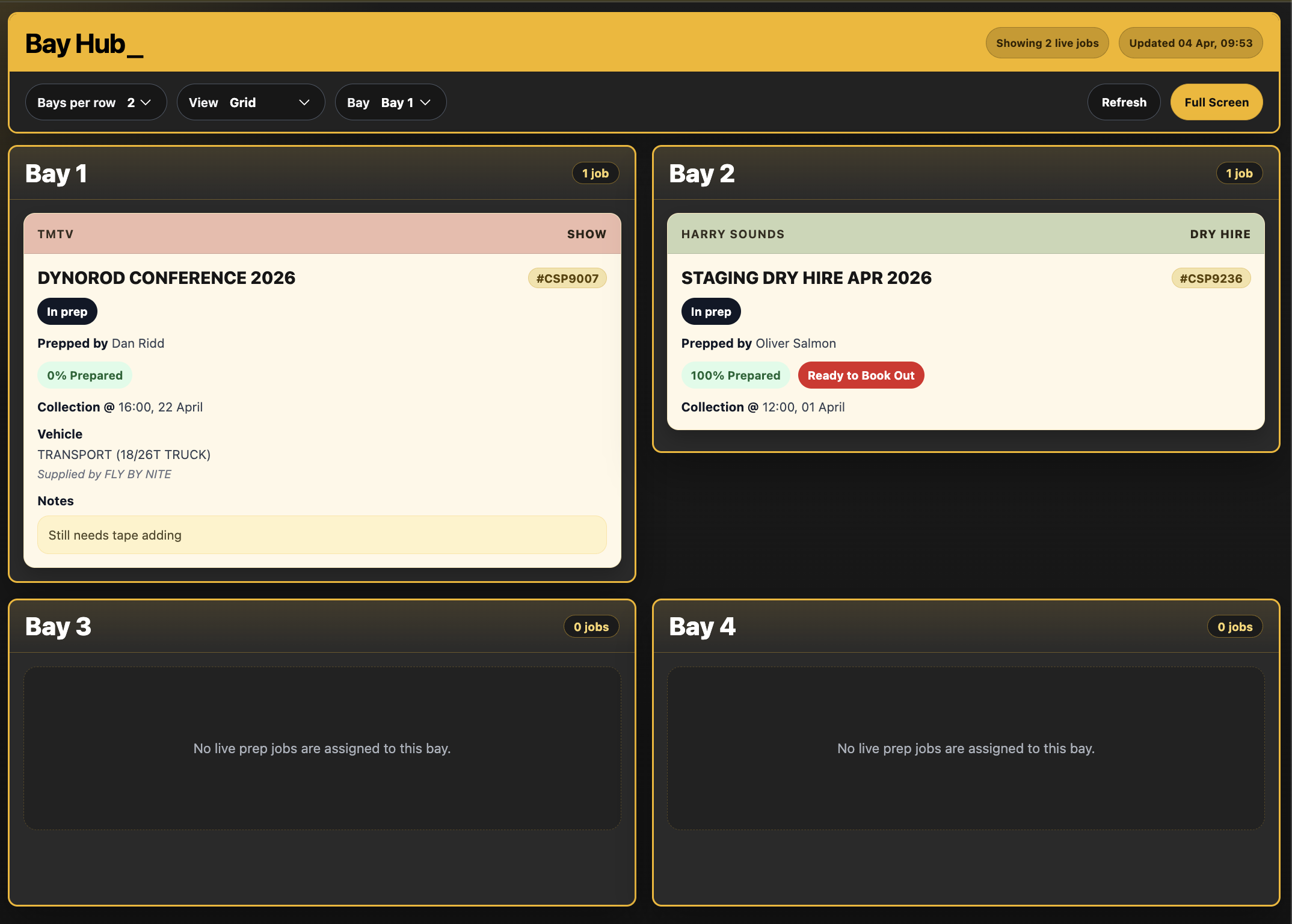
Bay Hub stores bay assignments and prep details on Opportunities, with project-wide assignments also available from a Project. Bay Hub Board brings those assignments together for warehouse overview screens or dedicated bay displays.
What It Does
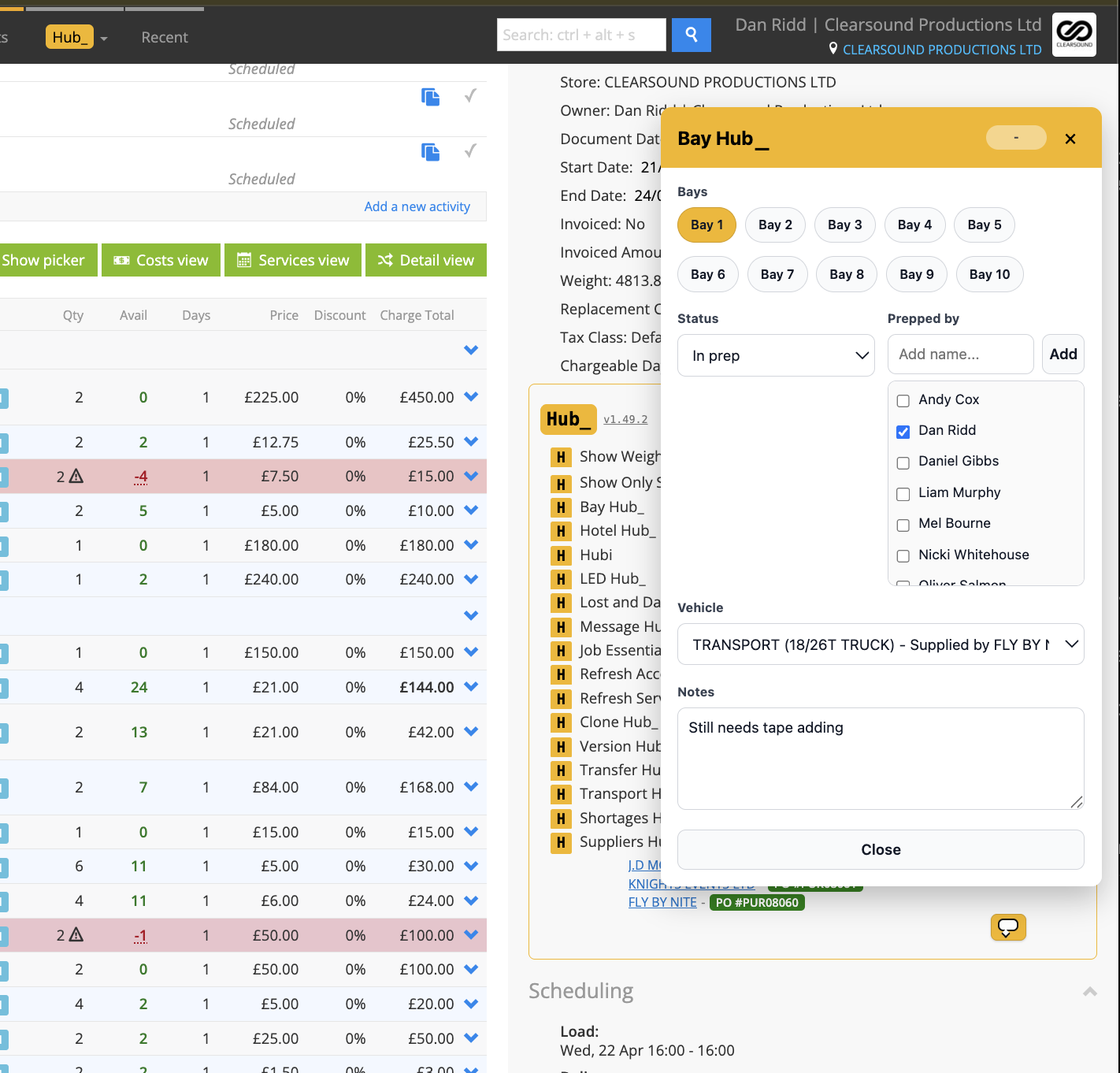
Assigns one or more configured bays, prep status, Prepped by names and notes to a job
Adds a Vehicle / Service selection on Opportunities; a Project assignment applies to the whole project
Shows a Bay Hub summary beneath the Opportunity type, with current bay and prep details and an edit control
Offers an optional reminder when Detail View first opens with allocated or prepared items but no assigned bay; the reminder is off by default
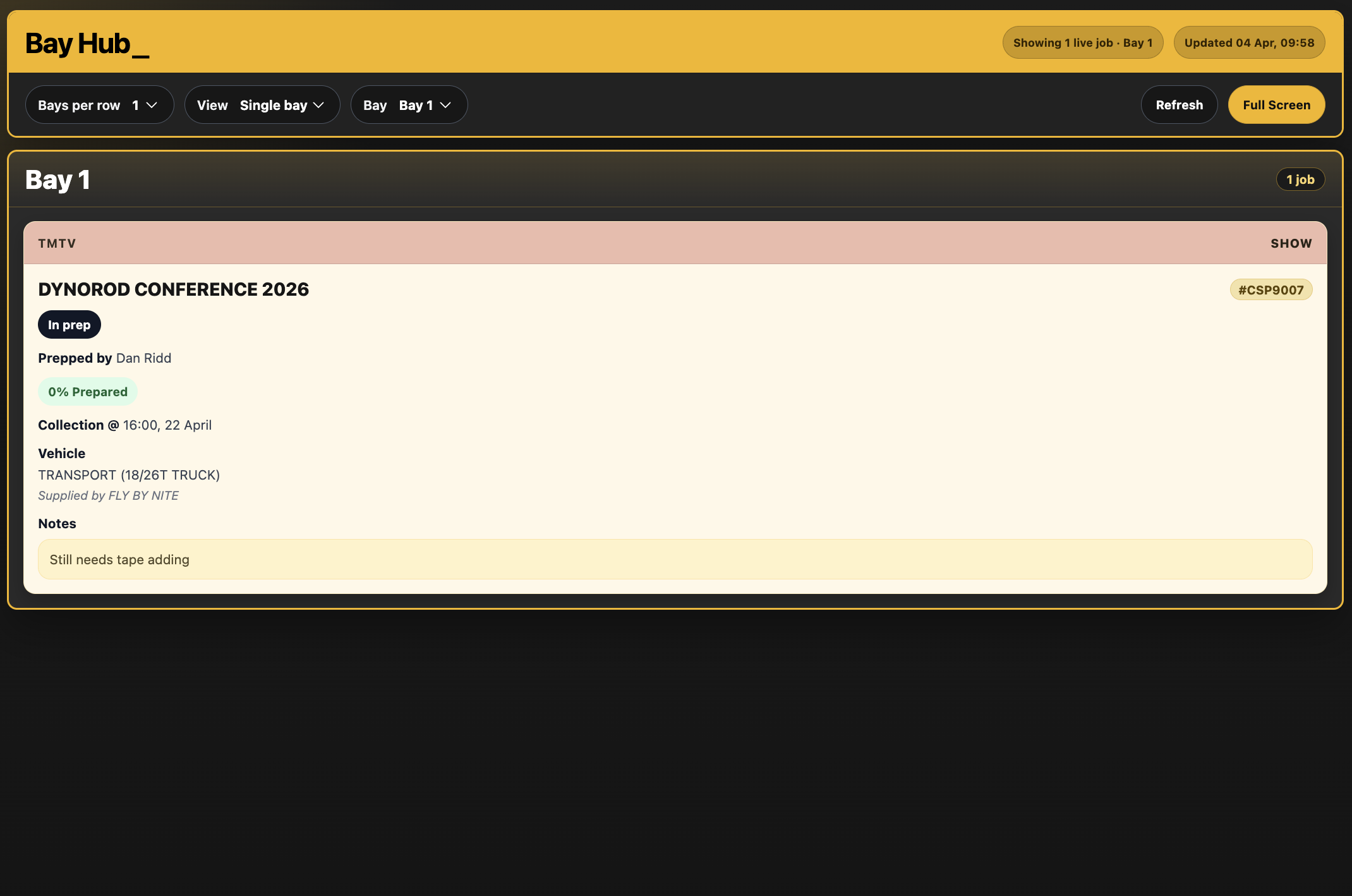
Provides an all-bay board or a selected single-bay view, with configurable columns and layout
Supports saved bay order or date order and optional automatic clearing of fully Booked Out or completed jobs
Manual Entry adds non-Opportunity cards such as incoming equipment deliveries
Bay Message provides an enabled or expiring ticker message for the board
How To Use It
Enable Bay Hub in Hub Settings and configure the bay names and available prep names for your warehouse.
Open an Opportunity and launch Bay Hub from the Hub actions, or use the summary’s edit control.
Select the bays, status, Prepped by names, Vehicle / Service and notes. Check the save indicator before closing.
For a whole-project assignment, open Bay Hub from the Project and review the notice that the assignment applies to the whole project.
Open Bay Hub Board from the main Hub menu. Choose the all-bay or single-bay view, columns, job layout and bay order required for the screen.
Choose whether fully Booked Out and completed jobs should remain visible or be automatically cleared from Bay Hub.
Use Manual Entry for work without an Opportunity, or Bay Message for a board-wide message. Review the board’s refreshed cards and status.
💡 Why it’s useful:
Bay Hub gives the warehouse a common view of active prep and responsibility. Job summaries and dedicated screens reduce repeated questions, while manual cards keep deliveries and other bay work visible alongside the jobs.