Activity Hub_
Activity Hub brings all activity management into one place, giving you full control over how activities are created, viewed, and managed across your opportunities. It’s designed to reduce manual input, standardise workflows, and give your team a clearer, more structured way of handling tasks.
Automated Activities
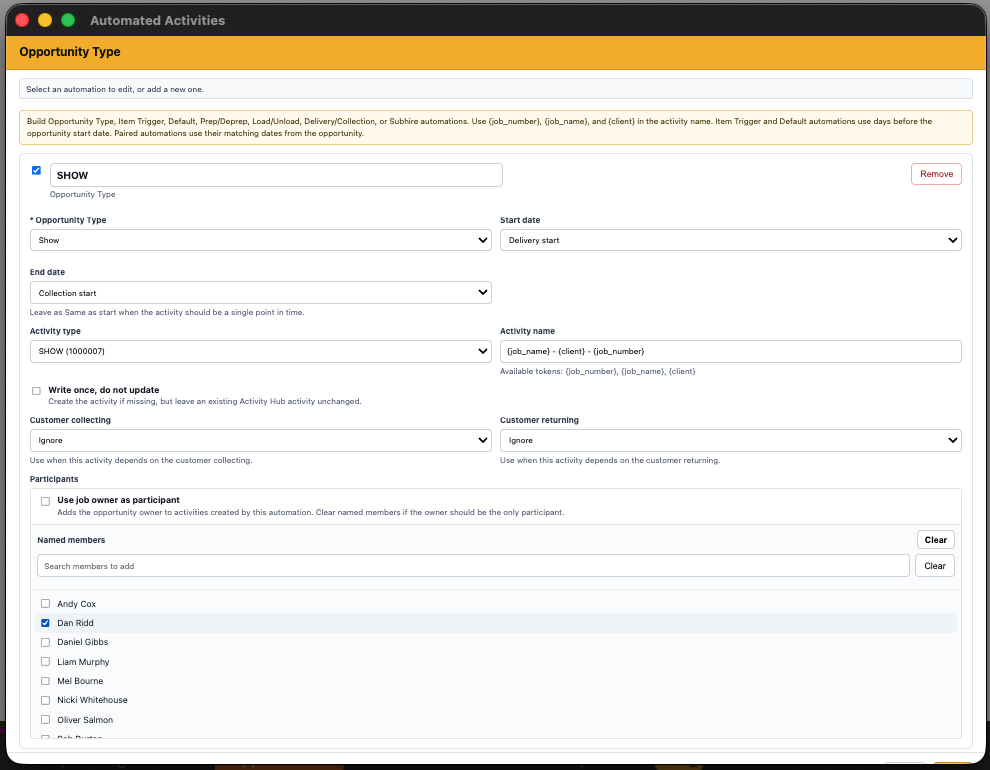
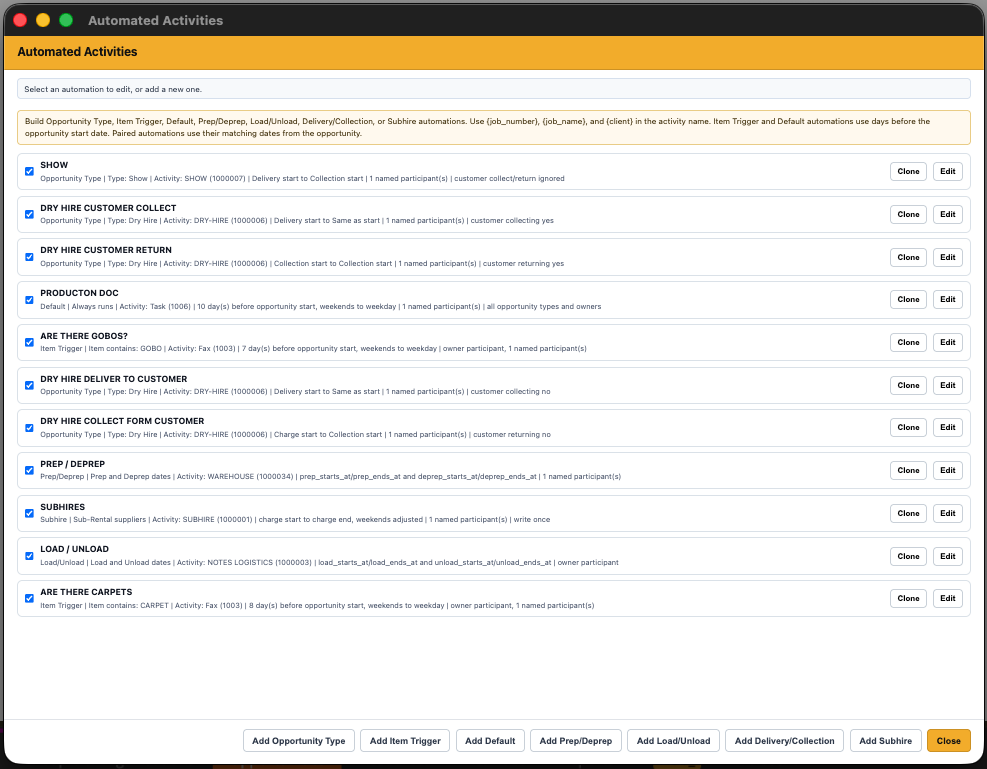
Automated Activities allows you to create activities automatically based on rules you define.
How it works
• Trigger activities based on opportunity type
• Trigger activities based on specific items
• Trigger activities from stages like Prep, De-Prep, Load, Delivery, Collection, and Unload
• Supports Subhire-based triggers
• Set default activities that are created on every opportunity
To use it
• Open Activity Hub settings
• Create a new automation rule
• Choose your trigger (type, item, or stage)
• Define the activity details (subject, dates, participants)
• Save, activities will now generate automatically when conditions are met
Why it’s useful
• Removes repetitive manual activity creation
• Ensures key tasks are never missed
• Standardises workflows across your team
• Speeds up job setup and improves consistency
Pending Activities
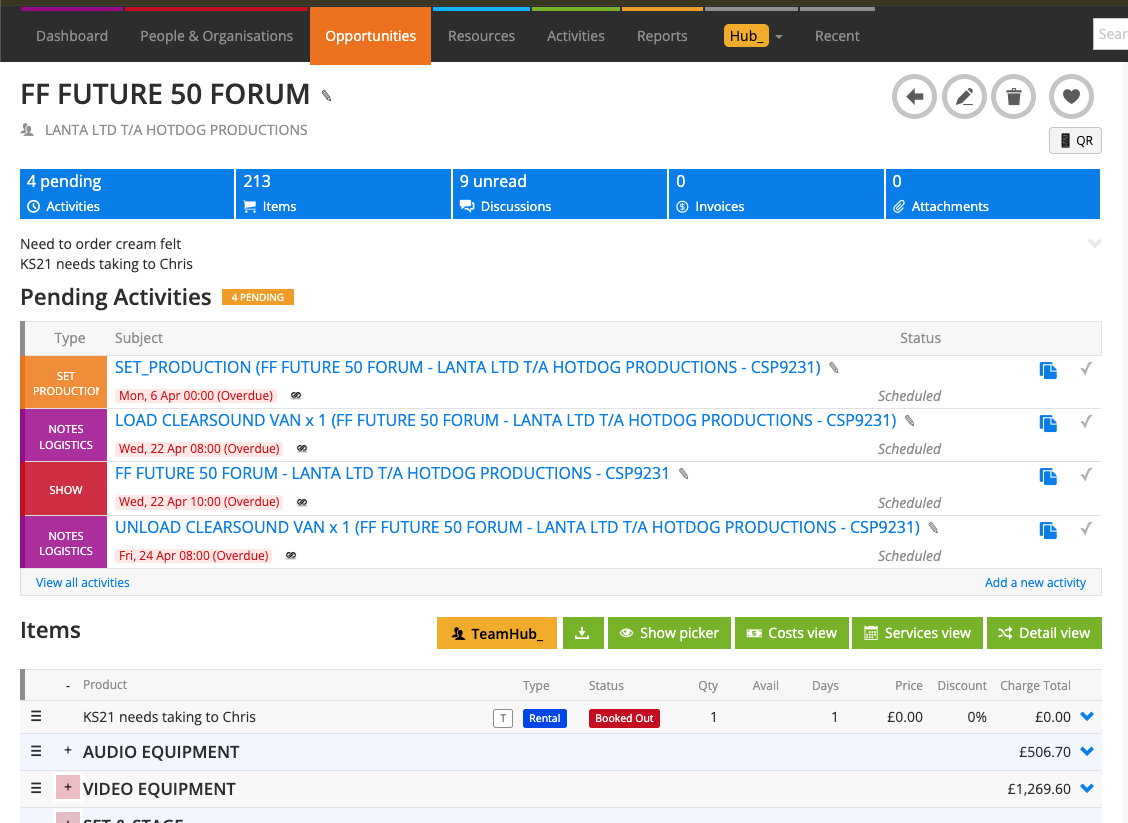
Pending Activities is a redesigned, more efficient way of managing activities on an opportunity.
How it works
• Displays all pending activities in a compact, clean layout
• Fully editable directly from the list
• Allows quick updates without opening each activity
To use it
• Open an opportunity
• View activities in the Pending Activities panel
• Edit activity name, date, or status inline
• Mark activities as complete directly from the list
Why it’s useful
• Faster and cleaner activity management
• Reduces clicks and page loads
• Makes it easier to keep jobs up to date
• Gives a clearer visual overview of outstanding tasks
Opportunity Types
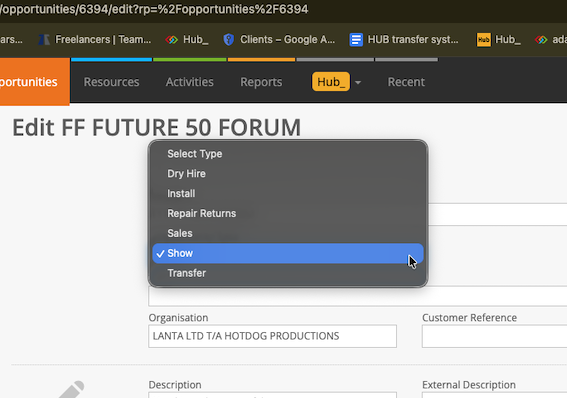
Opportunity Types allows you to define and assign a type to each opportunity, shaping how the job behaves across Hub.
How it works
• Create custom types (e.g. Dry Hire, Show, Corporate, Installation, Sales)
• Assign a type to each opportunity
• Types are used as triggers for Automated Activities
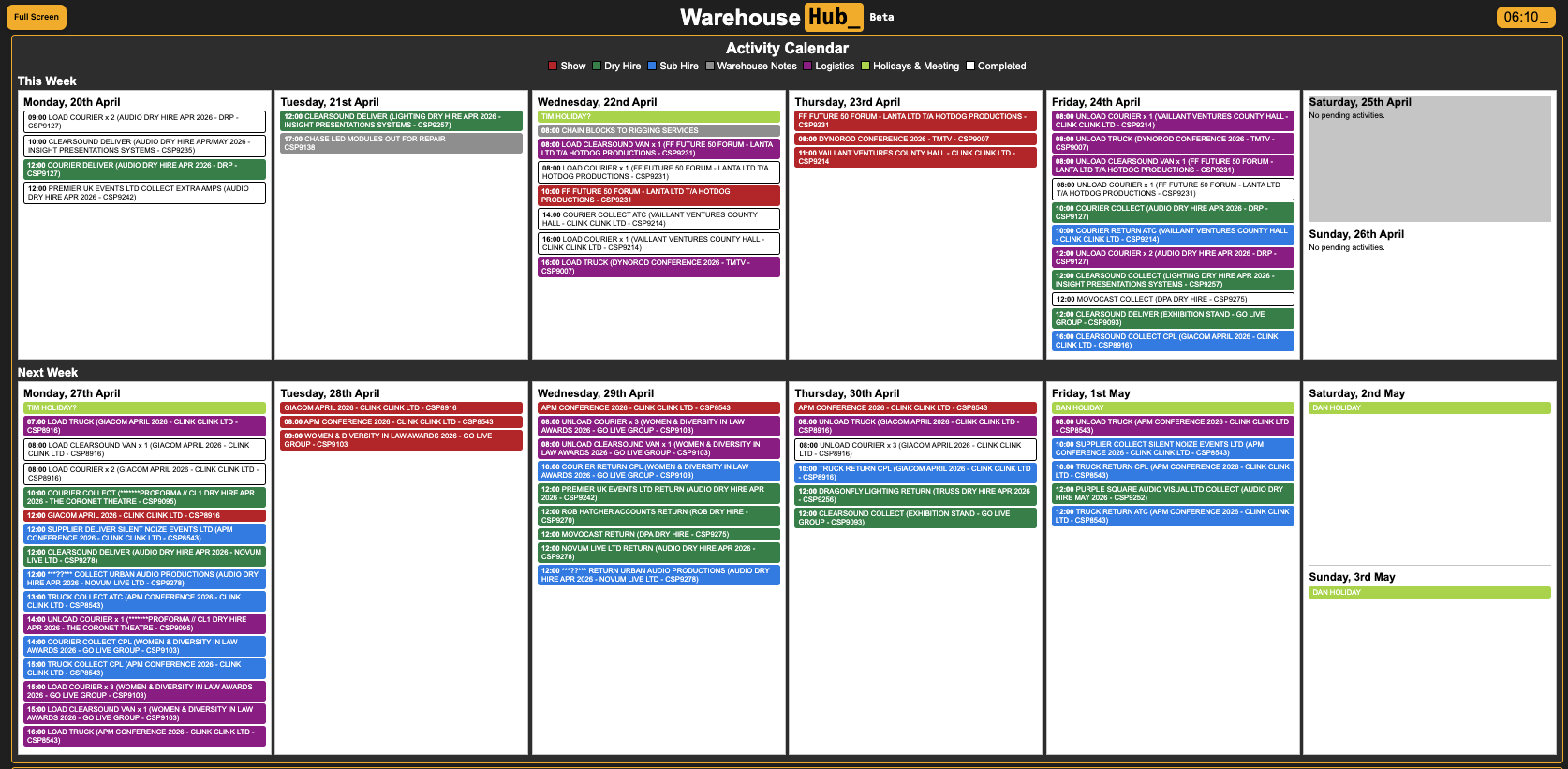
• Types feed into other hubs like Warehouse Hub for logic and colour coding
To use it
• Set up your Opportunity Types in Activity Hub
• Assign a type when creating or editing an opportunity
• Use types to drive automations and workflows
Why it’s useful
• Standardises how different job types are handled
• Enables powerful automation rules
• Improves visibility across hubs like Warehouse Hub
• Helps teams quickly understand the nature of a job