Lost & Damaged Hub_
Review assets already marked Lost or Damaged on an Opportunity and choose the follow-up action from one window.
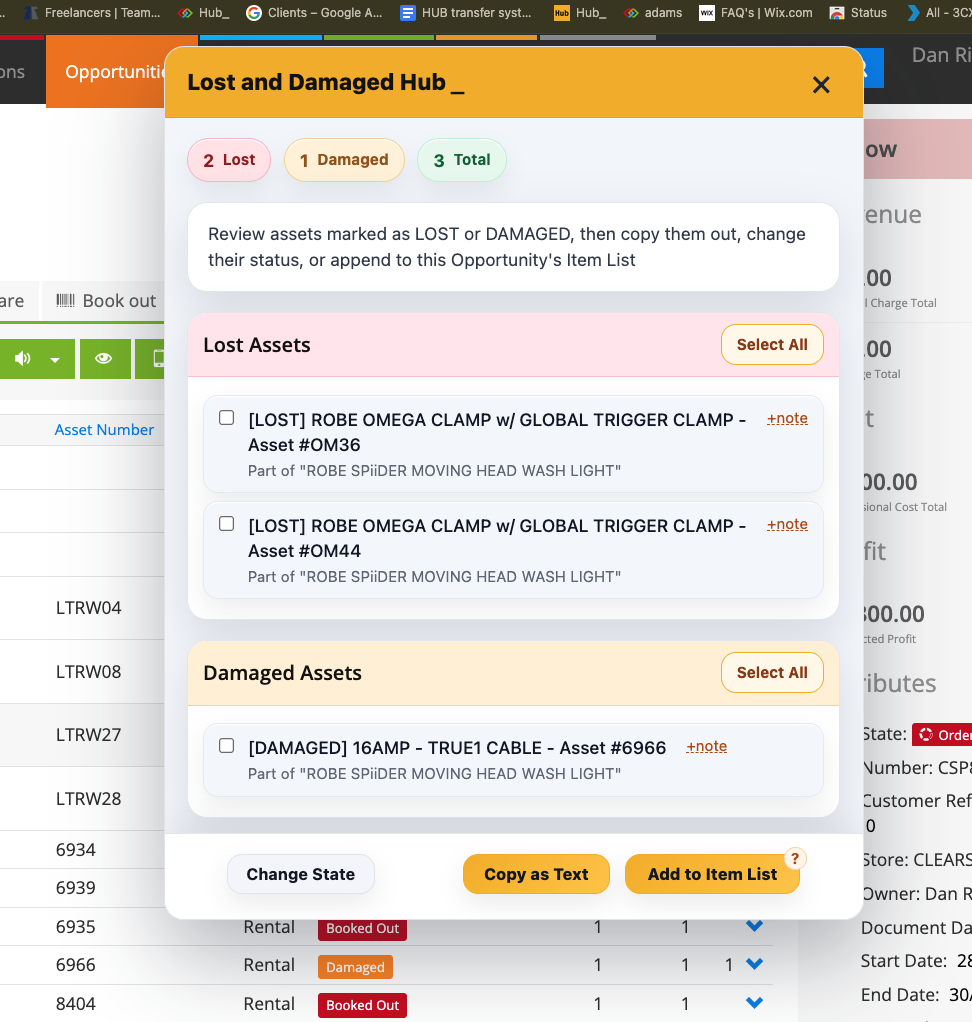
Lost & Damaged Hub scans the job’s Detail View and groups the affected assets. It can update notes or return state, copy the selection, or add text lines for loss and damage charges.
What It Does
Groups the results into Lost Assets and Damaged Assets with summary counts
Shows the asset or product, affected quantity, parent-item context and available damage notes
Includes supported bulk quantities as well as individual serialised assets
Lets users add or edit notes against the affected asset
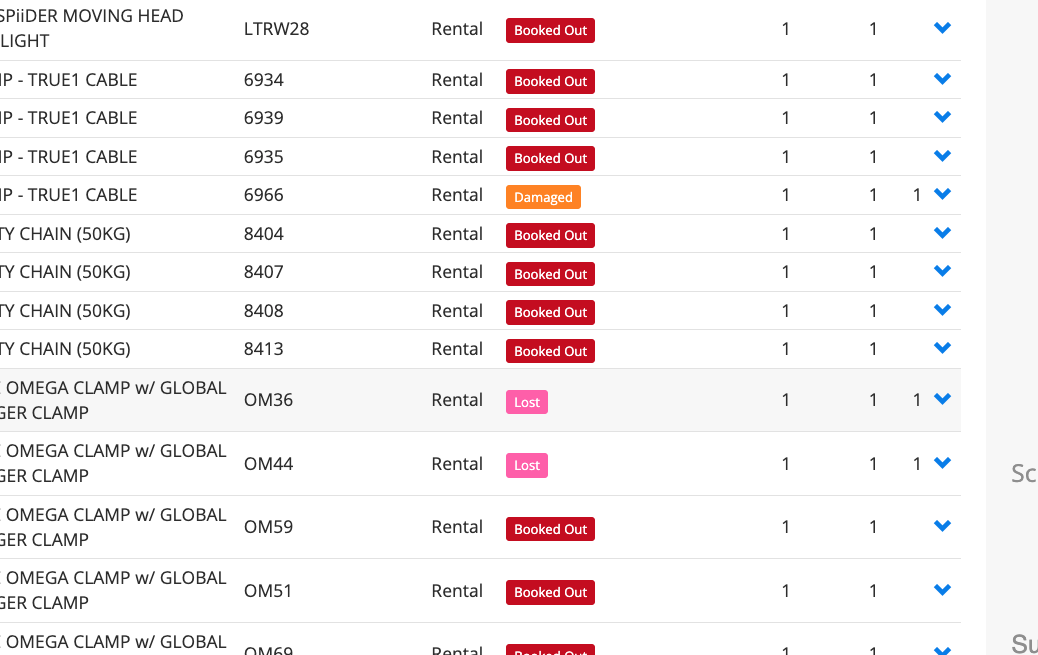
Change State sets the selected return state to OK, Damaged or Lost, with a quantity choice for applicable bulk entries
Copy as Text prepares a selected list for sharing or logging
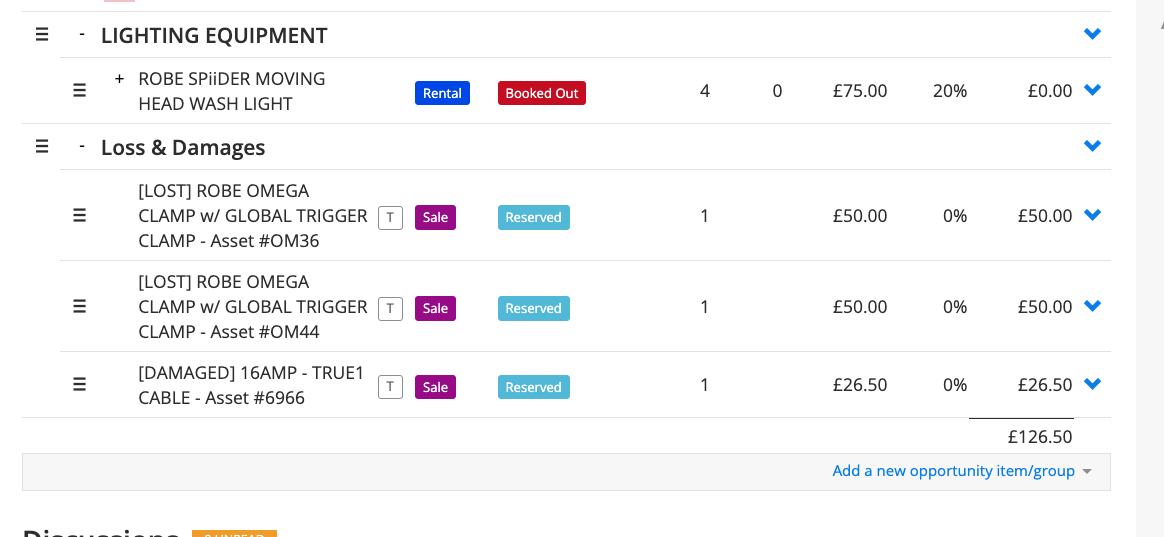
Add to Item List creates entries in a top-level Loss & Damages group on the same Opportunity
Offers Zero Price or Use Replacement for the added text lines, using the available replacement charge when selected
Reports the outcome of the selected changes rather than requiring every item row to be opened manually
How To Use It
Open the Opportunity and choose Lost & Damaged Hub from the Hub actions.
Review the Lost and Damaged sections, quantities, parent context and notes.
Use +note to add or update the relevant note, then save it.
Select the entries you want to act on. Choose Change State, select the intended state and quantity where offered, then apply it.
Use Copy as Text for a shareable list, or Add to Item List to create loss-and-damage entries on the job.
When adding to the Item List, choose Zero Price or Use Replacement and check the resulting quantities, notes, charges and group.
Review any error or partial update and check the refreshed return state before repeating an action.
💡 Why it’s useful:
A consolidated list makes recorded loss and damage easier to follow up. Notes, status corrections and optional charging lines can be reviewed together, reducing missed items and repeated navigation.