Keyboard Shortcut Hub_
Adds simple keyboard shortcuts directly into Current RMS to speed up common actions and reduce unnecessary clicks while working through opportunities.
Keyboard Shortcut Hub_ is designed for users who spend a lot of time inside RMS and want faster ways to move, create, and organise without breaking flow.
How it works:
Keyboard Shortcut Hub_ listens for specific key combinations while you’re working inside an Opportunity.
When a shortcut is triggered, Hub instantly opens the relevant action using a lightweight popup — no scrolling, no hunting through menus.
All shortcuts are scoped to RMS, so they don’t interfere with normal browser behaviour.
Shortcut settings:
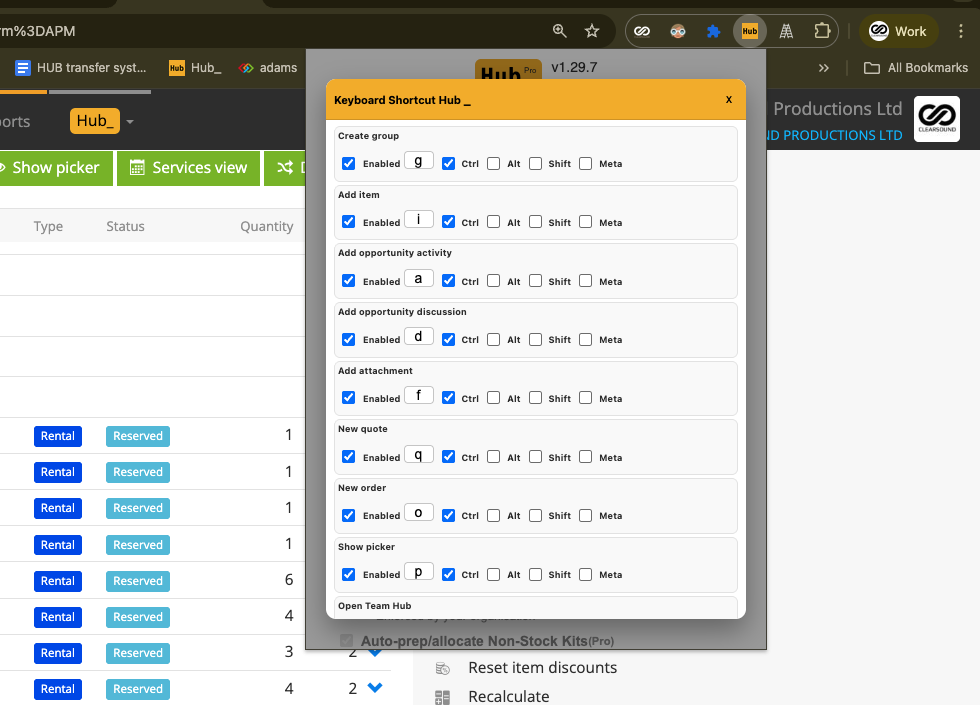
Keyboard Shortcut Hub_ now includes a full settings panel where you can:
Enable or disable individual shortcuts
Change the key used for each action
Choose modifier keys such as Ctrl, Alt, Shift, or Meta
Tailor shortcuts to match how you personally work
This allows teams to keep defaults simple, while power users can fine-tune everything.
Default shortcuts:
Ctrl + G
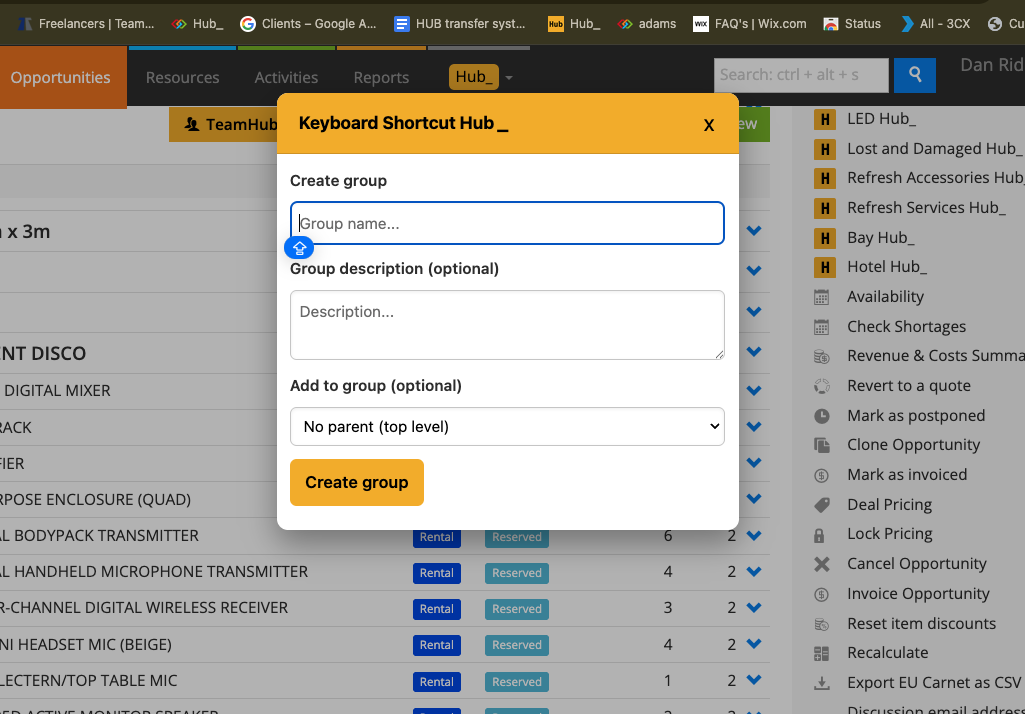
Create a new Opportunity group
Ctrl + I
Add item
Ctrl + A
Add opportunity activity
Ctrl + D
Add opportunity discussion
Ctrl + F
Add attachment
Ctrl + Q
Create new quote
Ctrl + O
Create new order
Ctrl + P
Show picker
Ctrl + T
Open Team Hub
Ctrl + M
Open Message Hub
Ctrl + S
Open Shortages Hub
Ctrl + H
Open Hubi
Ctrl + X
Open Transport Hub
Ctrl + K
Open Accessories Hub
Ctrl + W
Open Service Hub
All shortcuts can be edited or disabled via Settings > Keyboard Shortcuts.
Rapid group creation:
When creating groups, you can keep pressing Enter to add multiple groups in one flow.
Type a group name, press Enter, then immediately type the next one.
What it removes:
Scrolling to find common actions
Breaking focus to search through menus
Repeated mouse clicks for everyday tasks
Slow group setup when building jobs quickly
To use it:
Work inside an Opportunity as normal.
Use the configured keyboard shortcuts as needed.
Adjust or disable shortcuts at any time via settings.
💡 Why it’s useful:
Keyboard Shortcut Hub_ removes small but frequent interruptions that add friction throughout the day. By keeping common actions one key press away, it helps users stay focused, work faster, and maintain momentum, especially when building or editing jobs under time pressure.