Job Essentials Hub_
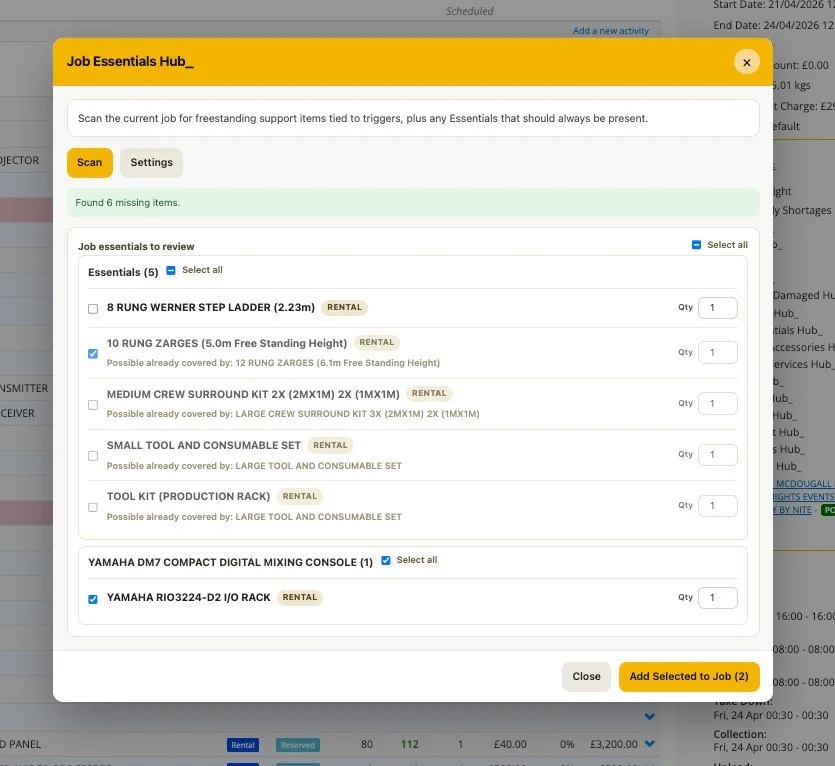
Job Essentials Hub_ helps you catch the things that usually slip through when building a job.
Ever sent something out and thought… did we miss something? This tool adds an intelligent layer on top of your workflow to make sure the essentials are always covered. By default, Current RMS relies on memory and manual checks. Hub adds smart prompts based on what’s already on the job.
How it works
• Suggests support items based on items already added to the job.
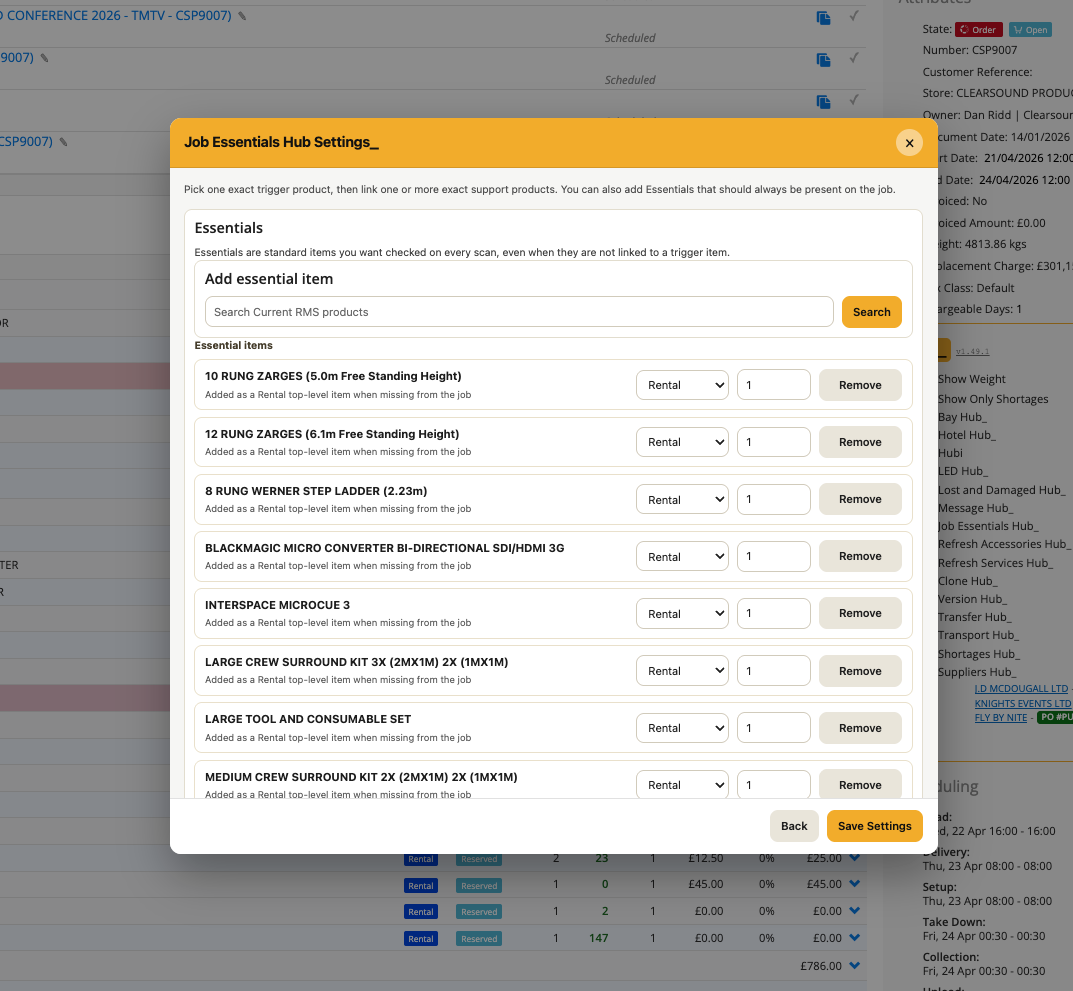
• Checks for everyday essentials you typically include.
• Highlights where kits or bundles already cover items, avoiding duplication.
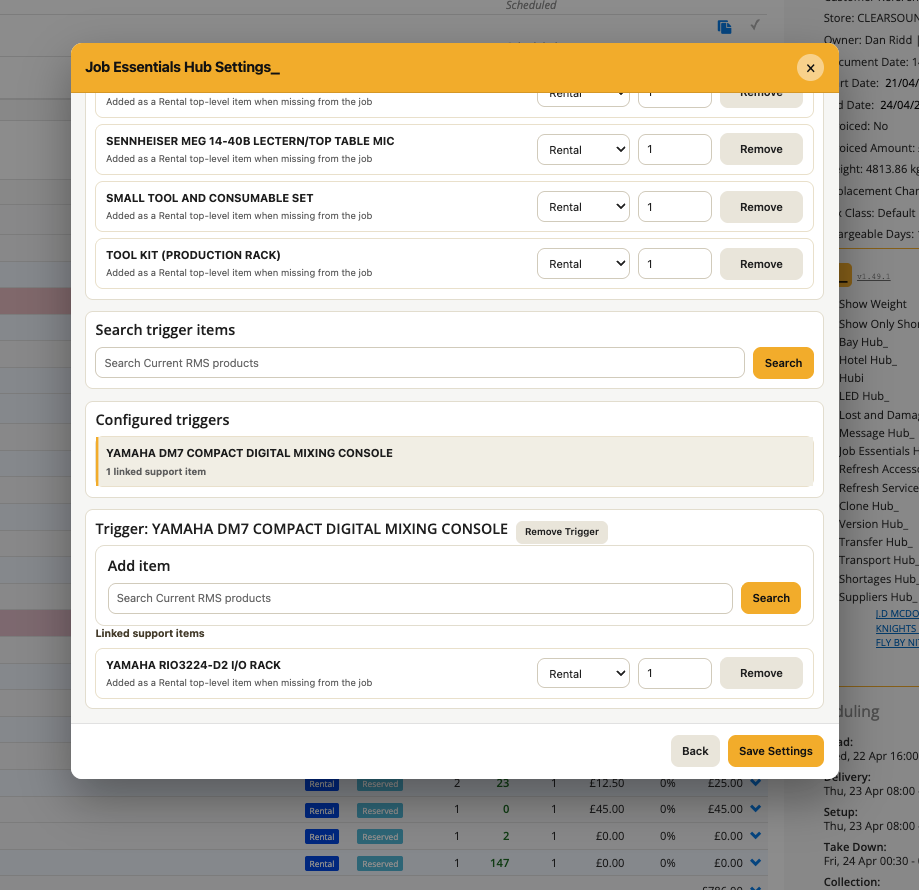
• Uses trigger items to prompt relevant suggestions.
To use it
• Open Job Essentials Hub_ from the Hub menu.
• Open Settings.
• Build your essentials list or set trigger items.
• Click the Scan button inside Job Essentials Hub_.
• Hub will suggest items based on what’s currently on the job.
💡 Why it’s useful:
Cleaner lists, fewer misses, and less back and forth, just a smarter way to build jobs.