Clear-Up Hub_
Adds a Clean-Up action to the Current RMS dashboard so you can quickly find and mark expired quotations as DEAD in bulk.
How it works:
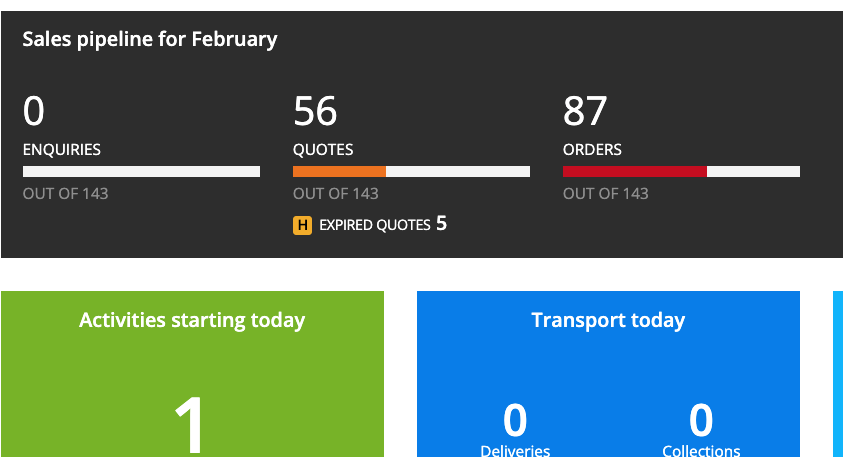
Displays EXPIRED QUOTES at the top of the Quotes column on the dashboard.
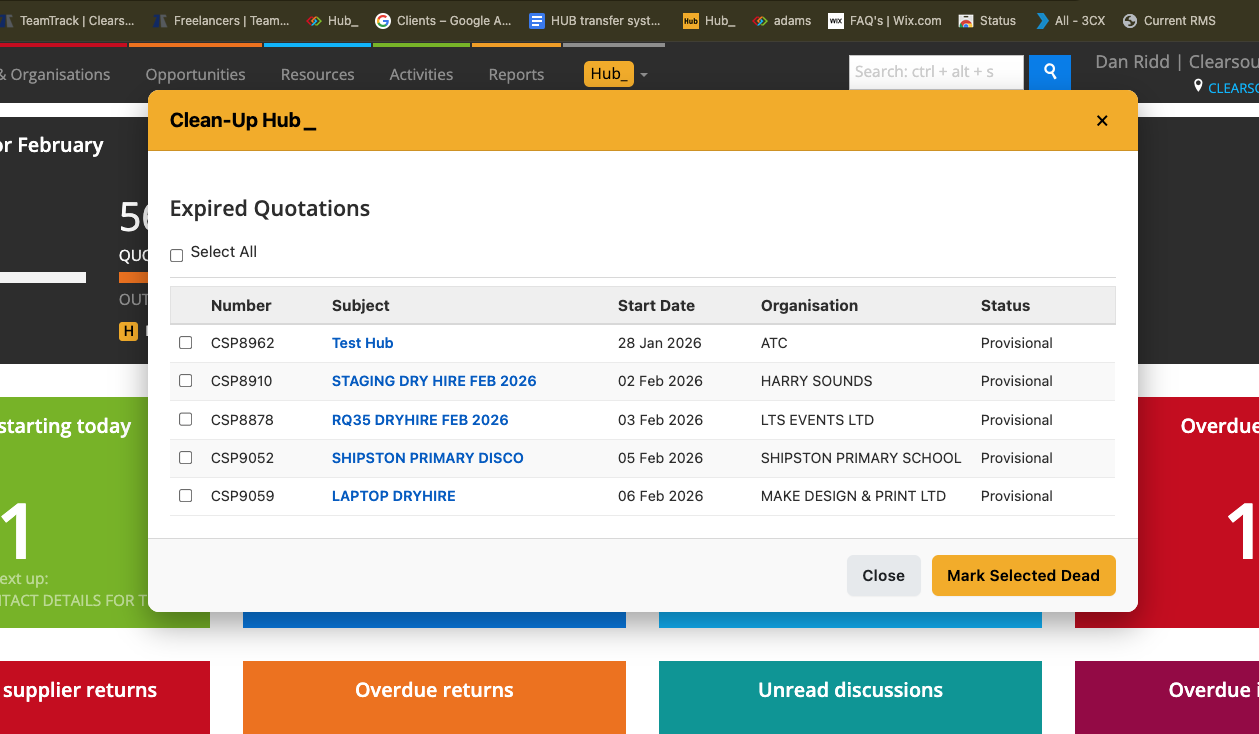
Clicking it opens a Hub popup showing all Quotation opportunities where the Start Date is in the past.
Shows: Number · Subject · Start Date · Organisation · Status.
Includes Select All and per-row checkboxes.
Clicking Mark Selected Dead triggers a clean, branded confirmation popup.
After confirming, Hub_ instantly sends the “mark as dead” requests to Current RMS (background processing — no need to wait).
To use it:
Go to the Current RMS dashboard.
In the Quotes column, click EXPIRED QUOTES.
Review the expired quotations list.
Tick the jobs you want to clean up (or select them all).
Click Mark Selected Dead.
Confirm in the popup.
Close the popup — Current RMS will finish processing the updates in the background.
💡 Why it’s useful:
Keeps your system tidy.
Old quotes build up fast — Clean-Up Hub_ lets you bulk-mark outdated quotations as DEAD in seconds, without opening them one by one. It keeps your pipeline clear, improves reporting accuracy, and saves loads of admin time.