Check-In Hub_
Scan returns into Global Check-In while checking flightcase and container contents in the same workspace.
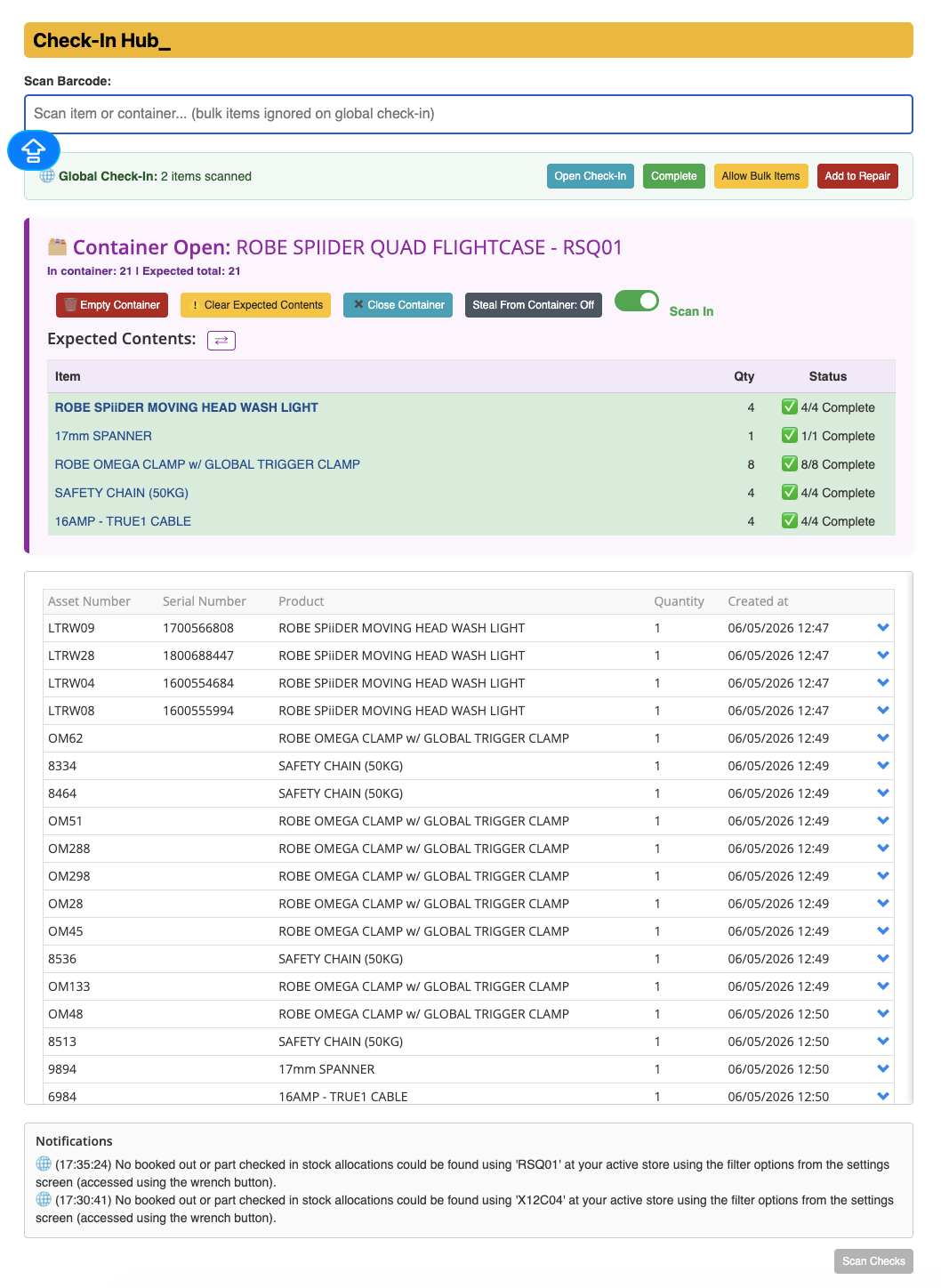
Check-In Hub combines loose-item returns, an open-container view, expected contents and actual Current contents. Scan feedback helps distinguish completed checks, missing items, unexpected items, duplicates and items that need inspection or quarantine review.
What It Does
Opens a recognised flightcase or container when its barcode is scanned; scanning it again closes the container
Globally checks in scanned equipment while updating the open container’s contents and expected-item feedback
Shows expected quantities, including applicable child accessories and per-case quantities, alongside Actual Contents loaded from Current
Shows actual asset numbers, products, quantities, weights and inspection information, with Refresh and Print Contents controls
Use last contents previews the saved contents from the last close, then restores the chosen container’s contents and globally checks in those items after confirmation
Clear Expected Contents clears the expected checklist for the open container; Remove Unexpected Items removes the reviewed unexpected contents while keeping expected items
Offers Scan In / Scan Out, Empty Container and an optional Steal From Container mode for deliberate container changes
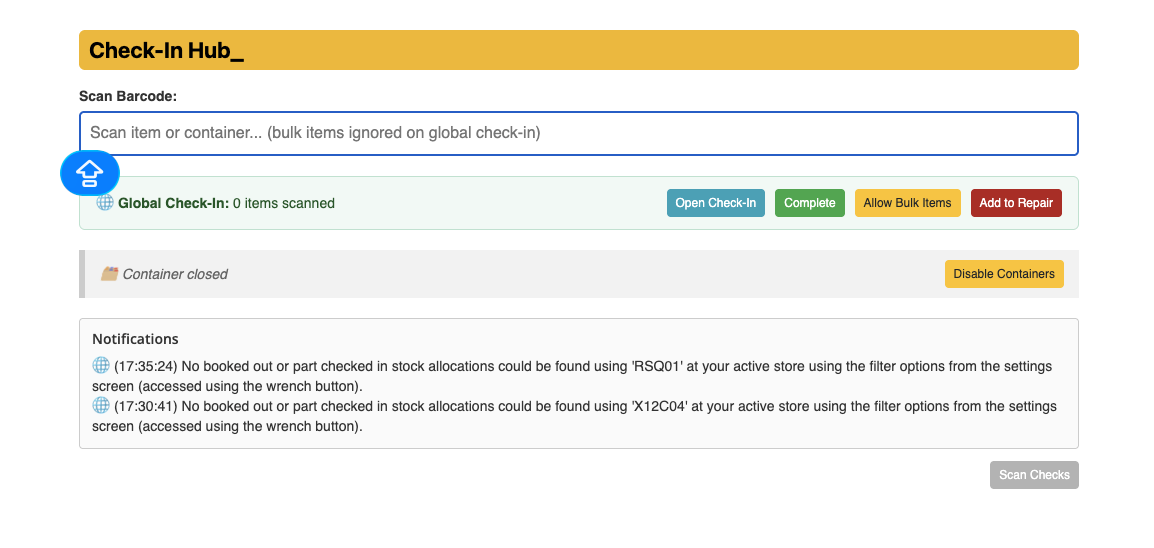
Disable Containers runs the Global Check-In workflow without opening containers; bulk scanning can be enabled with Allow Bulk Items
Scan Checks provides inspection, bulk, quarantine and write-off lists, cache controls and the applicable review or override choices
Provides duplicate and already-in-container feedback, optional voice prompts and inspection warnings with Quick Test where available
Complete finishes the Global Check-In batch; optional settings can complete on container close or after five minutes idle when no container or Hub modal is open
The idle/exit completion option also handles leaving, refreshing or closing the Check-In page; merely switching browser tabs does not complete the batch
How To Use It
Configure the recognised flightcase barcodes and Check-In options in Hub Settings, then open Check-In Hub from the main Hub menu.
Review Scan Checks and download or refresh the applicable inspection, bulk, quarantine and write-off lists before scanning.
Scan the case or container barcode to open it. Check the expected quantities and Actual Contents.
Scan the returned equipment and watch the feedback. Review unexpected items, duplicate warnings and any inspection or quarantine prompts before continuing.
Use Allow Bulk Items only when bulk returns are intended. Use Disable Containers for loose-item Global Check-In without container handling.
To reuse a case’s last saved contents, select Use last contents and review its preview before confirming. Use the contents-clearing or removal controls only after checking which list or actual items they affect.
Select Refresh for a current contents check, or Print Contents for container paperwork or labels.
Scan the case again or select Close Container when finished. Continue with the next case or loose items.
Select Complete to finish the Global Check-In batch and check the result. If automatic completion is enabled, review its conditions and allow any active processing to finish before leaving.
💡 Why it’s useful:
Check-In Hub makes the physical return and the container check visible together. Expected-versus-actual contents, scan checks and completion feedback help warehouse users resolve discrepancies as the equipment is handled.
🎥 For a walkthrough, watch this video: