Webserver Hub_
Run one master Hub screen and mirror it to warehouse displays over the local network.
Webserver Hub for Mac or Windows receives the rendered Warehouse Hub, Bay Hub and published individual-bay screens from the Hub extension on the master computer. Other screens display those shared views in a normal browser.
Downloads
What It Does
Shares the master’s rendered screens so additional displays do not repeat the Current API work
Requires Chrome, the current Hub extension, the source Hub screens and Webserver Hub to remain running on the master computer
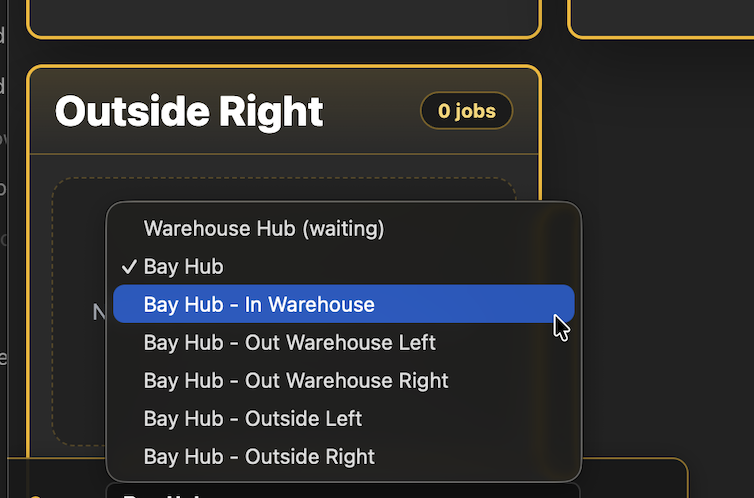
Lets viewer screens choose Warehouse Hub, Bay Hub or an available individual bay using the Screen selector
Does not require the Hub extension or Current API credentials on the viewer screens
Auto rotate cycles through selected published screens with a preset or custom interval, saved for that viewer browser
Supports Full Screen and a Resume Full Screen control when a browser needs a user action to return to full screen
Can require a viewer password when mirror password protection is enabled in Warehouse Hub Settings
Shows a waiting message when a selected screen has not yet been published by the master
How To Use It
Install Webserver Hub on the master computer only, using the appropriate Mac or Windows download below.
On Mac, open the DMG, drag Webserver Hub to Applications and launch it. On Windows, run Webserver Hub Setup and allow the required private-network access when prompted.
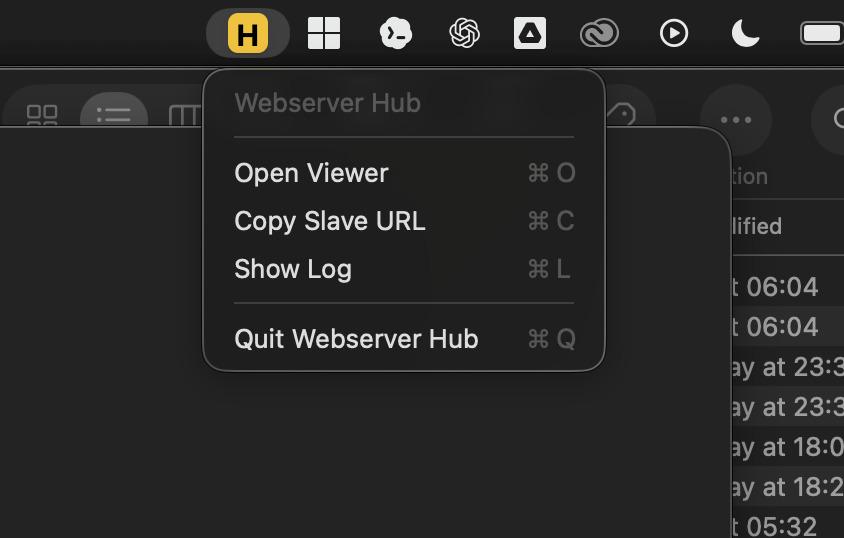
Check for the orange H menu-bar or tray icon, then open Warehouse Hub and Bay Hub in the Hub extension on the master.
Keep the master awake and connected to the same local network as the displays. Use the LAN address shown by Webserver Hub on each viewer screen; the 127.0.0.1 address is for the master itself.
On a viewer, open the master’s LAN address in a browser and enter the configured mirror password if prompted.
Use the bottom-left Screen selector to choose the required view. For a rotating display, enable Auto rotate, choose the screens and set Every to a preset or custom interval.
Select Full Screen and use Resume Full Screen if the browser later requires it.
If the viewer is waiting or no longer updating, check that Webserver Hub and the matching source Hub are still open and updating on the master.
💡 Why it’s useful:
One master performs the source work while additional displays reuse the result. Individual screen selection and rotation make it easier to give each warehouse area the information it needs.