Finalise Hub_
Check exactly what has and hasn’t been prepared before a job leaves the warehouse, including partially prepared bulk stock.
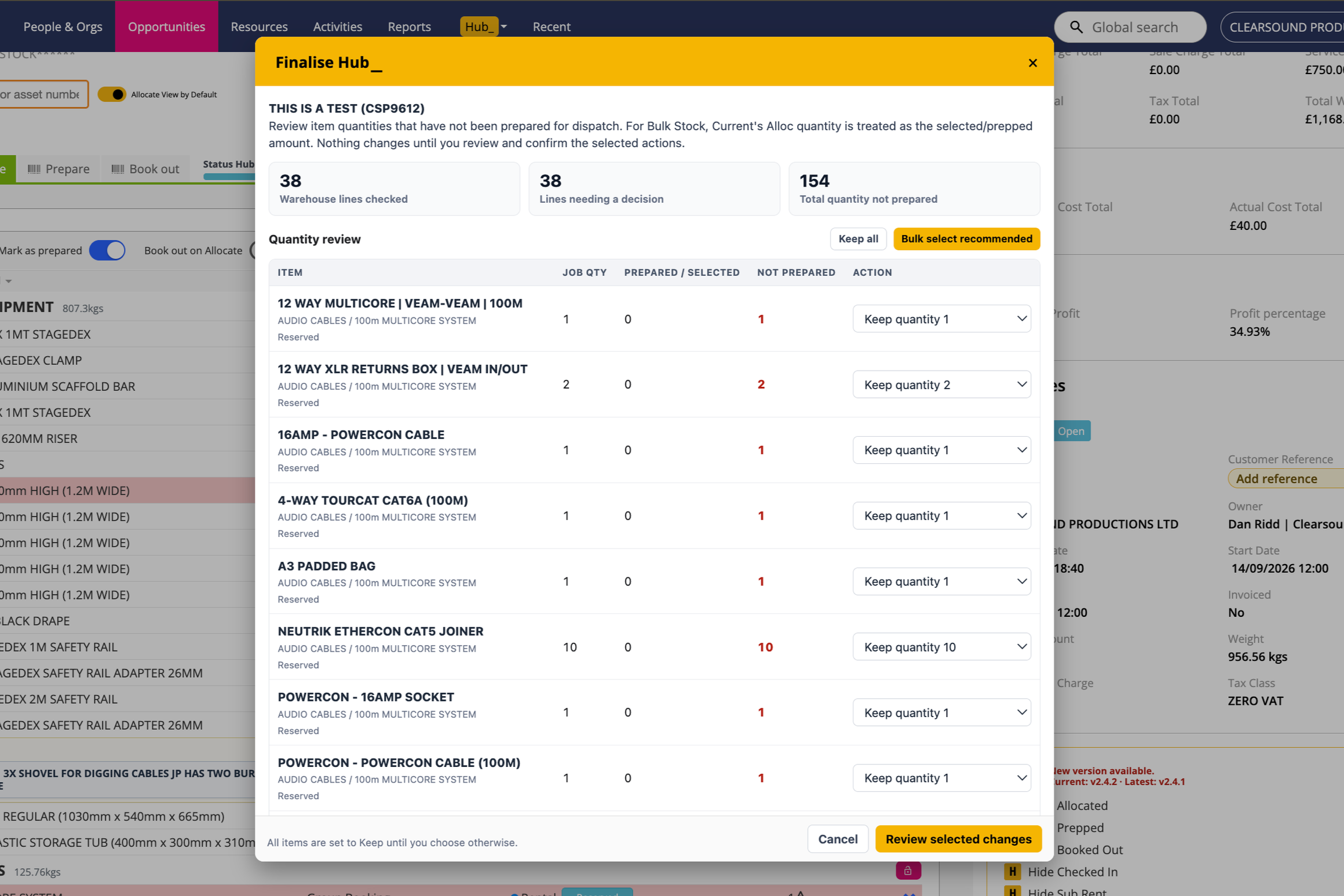
Finalise Hub reviews outstanding warehouse quantities before dispatch. Keep an item as booked, reduce its quantity to the prepared amount, or delete a line that is no longer required. You review and confirm the changes before they are applied.
What It Does
Shows job quantity, prepared or selected quantity, and the quantity not prepared for each line needing attention
Includes partially prepared Bulk Stock; Current’s Alloc quantity is used as its selected or prepared amount
Starts every line on Keep; Bulk select recommended suggests adjustments or deletions for review, while Keep all resets the choices
Allows a partly prepared line to be reduced to its prepared quantity, or an eligible item line to be deleted
Keeps mandatory accessories on Keep because their quantities are controlled through the parent item in Current
Prevents deletion where prepared child items would be affected and flags lines that cannot be checked safely
Shows a confirmation summary and the result of each change; quantity changes can also change the job price
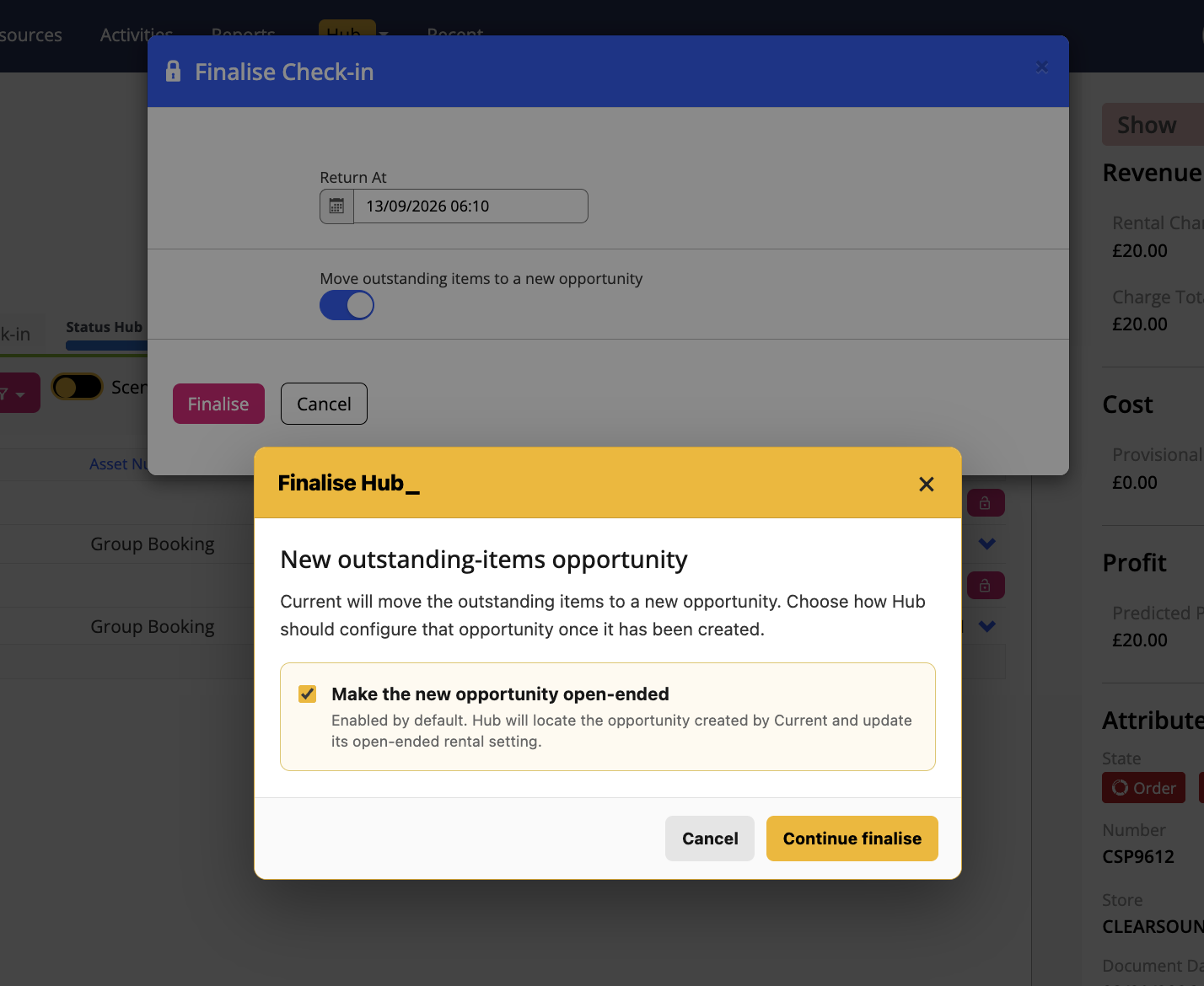
When Current moves outstanding items to a new Opportunity during final check-in, Hub asks whether to make the new Opportunity open-ended; this choice is enabled by default
How To Use It
Open the Opportunity before dispatch and choose Finalise Hub from the Hub menu.
Review each line’s job quantity, prepared or selected quantity, and outstanding quantity.
Choose Keep, Adjust quantity, or Delete where available. If using Bulk select recommended, check every suggested action.
Prepare mandatory accessories or change their parent item in Current when their quantities need attention.
Select Review selected changes, check the quantities and any whole-line deletions, then confirm the listed changes.
Leave the page open while the changes run. Review the result for every line and resolve any failures before reloading the job.
If using Current’s Move outstanding items to a new Opportunity during final check-in, finalise any outstanding services, review the open-ended choice and continue.
💡 Why it’s useful:
Finalise Hub provides a clear final check between what was booked and what is actually leaving the warehouse. It makes partial preparation visible and lets the warehouse team review quantity and price changes before applying them.